
 Home
Home  Apps
Apps  Games
Games  Windows
  Terms of Service
  Cookies & Privacy Policy
  About us
Amazon Kids Parent Dashboard

 4.1
4.1 1,000,000+ Downloads
1.12.0.3865 Version
Information
- Category: Entertainment
- Price: free
- Age Rating: Everyone
- Available on: /
- Developer: Amazon Mobile LLC
- Updated on: Jun 26, 2026
Pros 
-
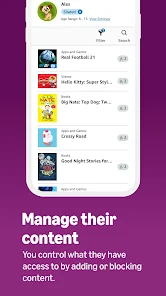
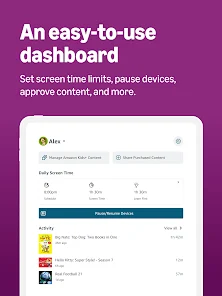
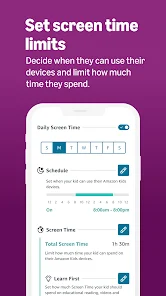
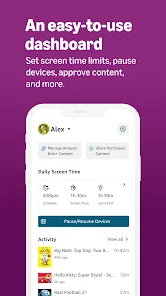
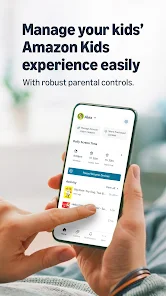
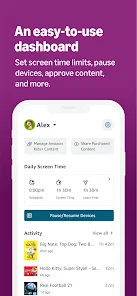
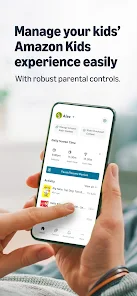
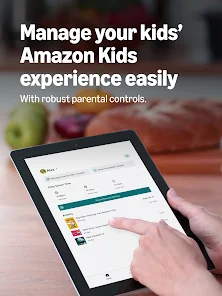
 The Amazon Kids Parent Dashboard app offers a range of benefits for parents looking to manage their children's screen time effectively.
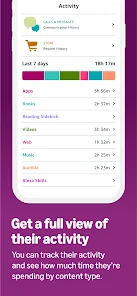
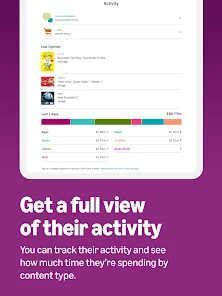
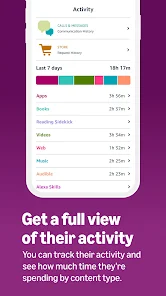
Easily monitor app usage
The Amazon Kids Parent Dashboard app offers a range of benefits for parents looking to manage their children's screen time effectively.
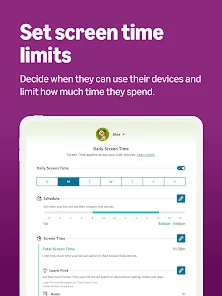
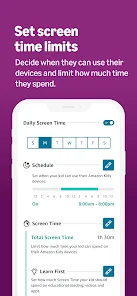
Easily monitor app usage - Set daily time limits
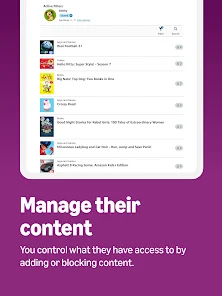
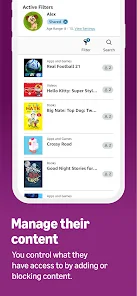
- Customize content filters
- Track reading progress
- Encourage educational activities
Cons 
-
 Limited content control options
 - Complex navigation for parents
- Inconsistent app performance
- High subscription costs involved
- Lack of diverse educational tools
Get Installation Details  Google Play
  App Store
Google Play App Store User Reviews
(16.2K Reviews) Austin Maxwell2026/06/16
this isn't even working. the time limits function does not keep track in real time when my kids use Netflix on their Firestick. With one of the profiles, I try to set a 2 hour limit for the day and it won't let my kid watch even a single second and for the other kid it never shuts off with any of my parental controls. Might as well not have the app at all.
- Angie Rudduck2026/06/06
It's always been clunkier than the website, but now I can't manage additional content and everything says I need kids+ when that's not actually true. trying to trick people into paying for a sub is deplorable. there are several settings inaccessible from the app and if I'm on the app, then I'm on my phone and I don't want to navigate in the clunky website either. making me consider a jump to an android tablet instead.
- Nicolas Allen2026/04/30
update: it's gotten worse the features aren't even working half the time I can't pause the devices. now I noticed they removed the icon to see time used. Grandma bought for my boys when they were small. I find these fire tablest have been thorn in our sides, but kids are addicted to them. Amazon store sucks. very difficult to do third party downloads. parental controls are cluncky, wish I could see the amount of time my kids have left from the dashboard. Avoid buying these
- Zach Gray2026/02/17
Apart from being unintuitive to use and having a terrible, unnavigable UI, my biggest complaint is you cannot limit Echo usage. I can set a schedule for my kid's Echo Pop so it turns off before bedtime, but I cannot set a daily time limit. This means I have to constantly babysit and monitor how long my kid's using it each day to ensure they aren't just using it all day long. "Screen time" in the app doesn't affect Echo devices; it's literally just for tablets. I honestly wish I never got it.
- Cyd E2025/03/13
This was great! I used to be able to easily go in and adjust things, allow apps, she how much time she's using on different apps etc. As of tonight it says the app isn't available in all countries, gives an error code and says to sign in with a different Amazon account. I only have one account! Plus I'm in the U.S.A. How does it happen that an app works for a couple year then says it's not available!?!?
Review Source: Google Play store public user reviews.
How to use Amazon Kids Parent Dashboard
How can I contact customer service for the Amazon Kids Parent Dashboard app?
You can contact customer service through the Amazon website or app, or by calling Amazon's customer support number listed on their help page.
How do I activate the Amazon Kids Parent Dashboard?
To activate, download the app, log in with your Amazon account, and follow the on-screen instructions to set up your child's profile.
How do I log in to the Amazon Kids Parent Dashboard app?
Open the app, enter your Amazon account credentials, and tap 'Sign In' to access the dashboard.
What is the customer number for Amazon Kids Parent Dashboard support?
The customer support number for Amazon is typically 1-888-280-4331, but check the Amazon website for the most current number.
What's New
- Your Parent Dashboard just got a major upgrade. Same features you rely on, new layout that's faster to navigate. Home shows every child at a glance. Bonus time, pause, or check activity in one tap. Tap any child to see their activity, adjust time limits, update schedules, or manage content. No more jumping between screens. All your kids' devices in a single list. Check status or adjust settings right from the Devices tab.
Similar Apps















You May Like

Pluto TV: Watch Free Movies/TV
Pluto, Inc.
3.7

NetShort - Popular Dramas & TV
NETSTORY PTE. LTD.
4.2

Hulu
Disney
4.5

MX Player
Amazon Mobile LLC
4.2

Newsmax
Newsmax Media
3.2

JustPlay - Earn or Donate
JustPlay GmbH
4.5

Audiomack: Music Downloader
Audiomack Music Apps
4.8

Plex: Stream Movies & TV
Plex, Inc.
3.7

YouTube Music
Google LLC
4.6

Wither Storm Mod for Minecraft
Race Car Entertainment
4.2

Plezy for Plex
edde746
4.4

MyChar: Chat with AI Friends
Riser Yazılım
4.4