
 Home
Home  Apps
Apps  Games
Games  Windows
  Terms of Service
  Cookies & Privacy Policy
  About us
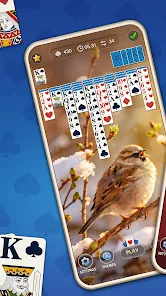
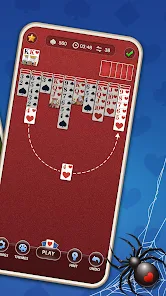
Daily Spider Solitaire Classic

 4.9
4.9 1,000,000+ Downloads
17.0.26 Version


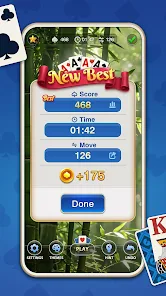
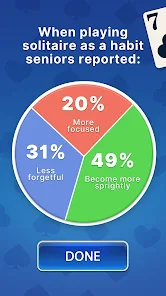
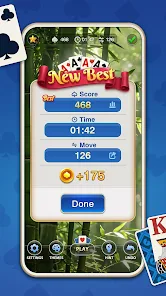
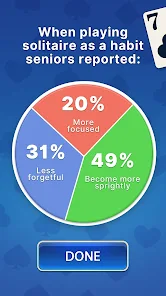
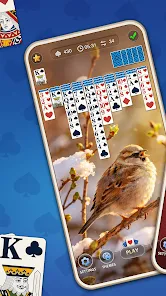
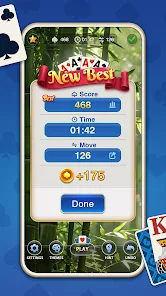

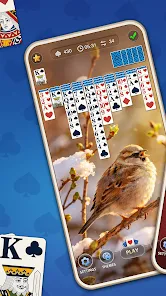
Information
- Category: Card
- Price: free
- Age Rating: Everyone
- Available on: Android, Windows*
- Developer: Big Cake
- Updated on: Jun 17, 2026
Pros 
-
 Experience endless fun daily
 - Engaging gameplay for all ages
- Beautiful graphics and themes
- Customizable difficulty levels
- Track your progress and stats
Cons 
-
 Limited game modes available
 - Ads can interrupt gameplay
- No multiplayer options offered
- Graphics may feel outdated
- Lacks customization features
Get Installation Details  Google Play
  App Store
Google Play App Store User Reviews
(39.9K Reviews) Sandra Wellman2026/03/08
I love spider solitaire and this is a good version of it. It only only provides hints if I don't see a move after 7-10 seconds, which I like. So far there are no ads during the game, which takes approximately 5-7 minutes, or more. It knows exactly where to put the card without hesitation like another spider game I play (annoying). That's all I can think of for now, back to my game.
- D Lummus2025/06/25

I saw an ad for this game that came up while I was playing their other spider solitaire game. The ad said, "No annoying ads." I downloaded it and un-installed the other version. What a bunch of BS! This version has just as many ads as the other one. It is a fun game, but the misinformation makes me really angry. Just tell the truth, people.
- Hassan Elhassan2026/06/15
Only one game repeated The ad showed an interesting puzzle with the cards stacked in the shape of an I. I've played several games, and went through all the settings. It is only 1 game, repeated over and over.
- Jacqueline Shearer2026/05/22
I love this challenging game. But as usual, the higher you climb the increase in ads is unbearable! Sometimes there are 3 ads at a time! Too much!
- Michael “chonies208” DeHoyos2026/06/14
Spider Solitaire has always been a favorite since before mobile playing with just cards, it's nice being able to play on my down time without having to pick up the skatter of mess from throwing a tantrum when getting frustrated, instead I just throw my phone and have less to pick up lol, jk...
Review Source: Google Play store public user reviews.
How to use Daily Spider Solitaire Classic
How can I contact customer service for the Daily Spider Solitaire Classic app?
You can contact customer service through the app's settings menu or visit the official website for support options.
How do I log in to my account in the Daily Spider Solitaire Classic app?
Open the app, go to the login section, and enter your credentials. If you don’t have an account, you can create one easily.
Is there a way to activate premium features in Daily Spider Solitaire Classic?
Yes, you can activate premium features by purchasing a subscription through the app's store section. Follow the prompts to complete the activation.
What is the customer number for Daily Spider Solitaire Classic?
The customer number is typically found in the app's settings or help section. Check there for specific contact details.
What's New
- 1. Bug fixes and improvements;2. Optimized the casual game performance.
Similar Games








You May Like

Star Wars Card Trader by Topps
The Topps Company, Inc.
3.7
Spades Fever: Card Plus Royale
WildCard Games
4.6

Poker Odds Calculator Pro
Ryen Studio

One Piece: Grand Line Duel
KANREE TEAM
3.0

Fishbait: Card Game
Yomu Labs
BlackJack Trainer Pro
HornetApps
4.6
Solitaire - Passion Card Game
Fancy Game
4.5

FreeCell Solitaire: Card Games
MobilityWare
4.5

Spades Royale Card Games
Beach Bum Ltd.
4.7
Solitaire Collection
Solitaire Card Studio
4.6

Fortnite
Epic Games
4.1

PBS KIDS Games
PBS KIDS
4.4