
 Home
Home  Apps
Apps  Games
Games  Windows
  Terms of Service
  Cookies & Privacy Policy
  About us
Delta Force

 4.5
4.5 10,000,000+ Downloads
1.202.37110.3901 Version
Information
- Category: Action
- Price: free
- Age Rating: Teen
- Available on: Android, Windows
- Developer: Level Infinite
- Updated on: Jun 19, 2026
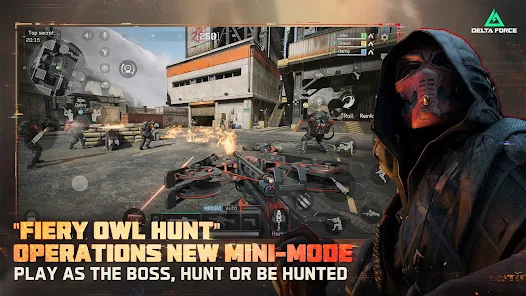
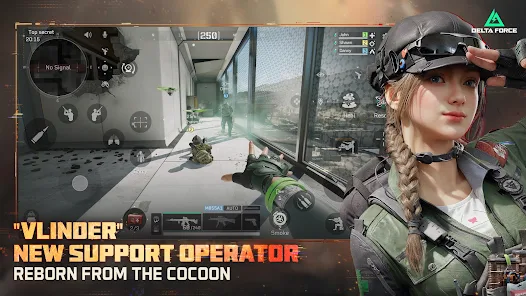
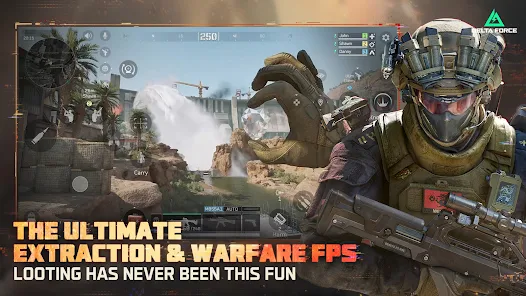
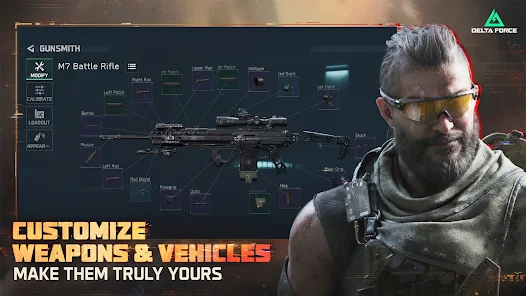
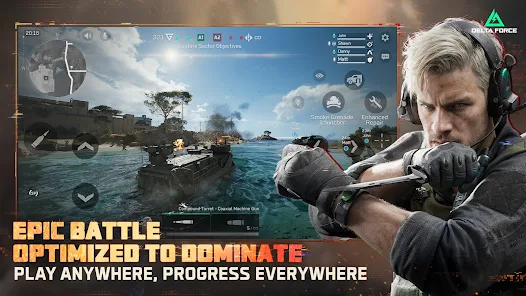
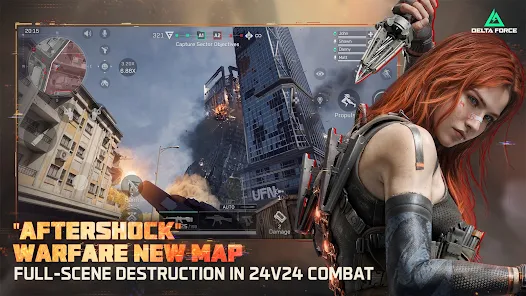
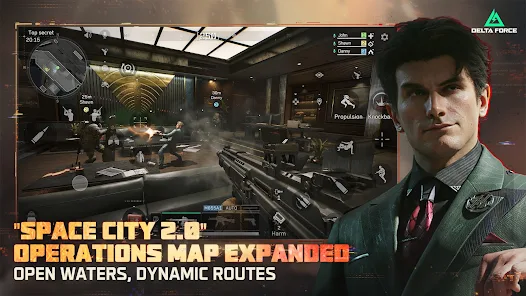
"Delta Force" is an action-packed mobile game that immerses players in elite military operations. Join an elite team of special forces as you engage in thrilling missions, strategize with teammates, and utilize advanced weaponry. Experience realistic combat scenarios, customizable characters, and dynamic environments. Whether you’re infiltrating enemy bases or executing high-stakes rescues, "Delta Force" delivers intense gameplay and a gripping storyline that will keep you on the edge of your seat. Are you ready to answer the call?
Features & Highlights
If you’re on the lookout for an app that combines tactical gameplay with strategic planning, Delta Force is a must-try. This app takes you into a world of military action, allowing you to form elite squads and engage in thrilling missions. Here are some standout features that truly elevate the user experience:
Real Experience Using Delta Force
Application Scenarios
As a gaming enthusiast, I often find myself looking for ways to unwind after a long day at work. Delta Force quickly became my go-to app for relaxation and entertainment. I usually start my evenings with a few quick missions to recharge my mind. On weekends, I dive deeper into the community events, collaborating with friends and other players from around the globe. Whether I'm sneaking through enemy territory or engaging in tactical battles, Delta Force provides a perfect blend of strategy and action that fits into my lifestyle effortlessly.
User Experience
The first time I launched Delta Force, I was immediately struck by its clean and intuitive UI. The main dashboard is neatly organized, allowing easy access to various features like missions, squad management, and community events. Navigating the app felt seamless, and I appreciated the tutorial that guided me through the initial setup. The graphics are stunning, and the sound effects immerse you in the battlefield. I particularly enjoy the smooth gameplay; I’ve experienced minimal lag during intense combat scenarios, which is a huge plus. Overall, my experience with the app has been overwhelmingly positive, as it keeps me engaged and entertained for hours.
Pricing
Delta Force operates on a freemium model, which means you can download and play the app for free, with optional in-app purchases available for players who want to enhance their experience. I found the pricing for additional gear and customization options to be fair, and I appreciate that the core gameplay remains accessible without spending money. It’s a nice balance that allows players to get the full experience without feeling pressured to buy extras.
Updates & Support
The developers behind Delta Force are proactive when it comes to updates and support. I’ve seen regular updates that introduce new missions and features, which keeps the gameplay fresh. Whenever I’ve had questions or issues, the customer support team has been responsive and helpful, addressing my concerns promptly. It's reassuring to know that the app is continuously evolving and that user feedback is valued.
Security & Privacy Review
As a user in the United States, security and privacy are paramount when it comes to gaming apps. Delta Force is available on both the App Store and Google Play, ensuring that it meets the security standards of reputable app platforms. Registration is straightforward, requiring basic personal information which I was comfortable providing, given the app’s transparent policies. Importantly, I noticed minimal ads while playing, and there doesn't seem to be any intrusive tracking behavior. The developers prioritize user privacy, which is a significant factor in my decision to stick with the app.
In conclusion, Delta Force has proven to be an engaging and secure gaming option that fits seamlessly into my daily routine. Its blend of tactical gameplay, community involvement, and commitment to user security makes it a top contender in the mobile gaming arena. Whether you’re a seasoned gamer or just starting, Delta Force offers a captivating experience that’s worth exploring.
Pros 
-
 Experience thrilling gameplay
 - Engage in strategic missions
- Join a global community
- Customize your elite squad
- Unlock powerful weapons
Cons 
-
 Limited user support options
 - Steep learning curve for newbies
- Occasional bugs and glitches
- High data usage during play
Get Installation Details  Google Play
  App Store
Google Play App Store User Reviews
(292K Reviews) Jayme Watt2026/01/06
I've played quite a few mobile shooters, and this one gets it right. Intense, exciting, realistic military combat, and the gameplay is always smooth. No ridiculous costumes, no pay to win. I only play warfare. Edit: No longer 5 stars. It's rare to start a match from the beginning, too many people quit, so you end up in a match midway, typically on a team getting crushed. There needs to be some sort of penalty for quitting games. Also, way too much smoke, and the new guy gizmo is a clownshow
- harlekin (Hellikin)2025/10/09
The game is pretty okay. I only wish there was a feature where you could pick up a downed teammate and push them to safety that way, you're less likely to get shot while healing if say they died on a hill or something. I also kind of wish there were more skins for characters maybe different camo patterns like desert or even just more grounded, skins, I just can't wait to see what happens in the future.
- Wes S2025/05/20
It's fine. Can be laggy at times. I've played a couple dozen matches and I think I've only started at the beginning of a match once or twice, otherwise it keeps putting me in matches that are halfway over. Seems like 95% of the players are bots, and I don't know if it's lag/bugs or cheating, but it'll take me half a mag of accurate shots to drop someone, then I get killed in 2 hits from someone halfway across the map with the same rifle I have.
- Fix2025/05/01
DO NOT SIGN IN WITH GOOGLE PLAY. Sign in with your email. I could not link my Google Play to my LiPass, so I couldn't receive awards/play on my PC. Tried to report the issue, no response after 4 days, 3 messages, but being super close to launch, I'm sure they're drowning in support tix. Great game, otw. Extraction is amazing w/ super customizable loadouts. There are some random fences that you can't climb, and have to travel far to get around, which are pointlessly frustrating. You should play
- Coyote2025/06/09
Easily one of the two best FPS games on mobile. The graphics are gorgeous, yet take little to no toll on my device, and the effort put into every aspect of the guns really shows. The maps are huge, the character gameplay is interesting, and the controls are clean and simple. Can't wait for controller support!
Review Source: Google Play store public user reviews.
FAQ
Can I submit suggestions or feedback to Delta Force?
Yes, users can submit feedback through the app's support section or official website.
Does Delta Force collect my personal data?
Delta Force adheres to privacy regulations and may collect limited data for functionality.
Does Delta Force support offline use?
Yes, Delta Force offers offline modes for solo gameplay.
How do I cancel my Delta Force subscription?
You can cancel your subscription through your app store settings or account management.
How much does a subscription to Delta Force cost?
Subscription costs vary based on the plan, typically offering monthly and yearly options.
How to use Delta Force
How can I contact Delta Force customer service?
You can reach Delta Force customer service via the support section in the app or through their official website's contact page.
How do I activate my Delta Force account?
To activate your account, click the link in the confirmation email sent to you after registration.
How do I find the customer number for Delta Force?
The customer number can typically be found in the app's settings or in your account profile.
How do I log in to the Delta Force app?
Open the app, enter your registered email and password, and tap 'Log In' to access your account.
Is activation necessary for the Delta Force app?
Yes, you may need to activate your account via a confirmation email sent upon registration.
What's New
- The biggest update of the year—Delta Force New Season MELTDOWN is Live! You're Born Critical.[Operations New Map] AZ3: Nuclear Plant.[DELTA FORCE × R6 | SIEGE] Once more unto the breach.[New Engineer Operator] N-Two: Ice in my veins.[Operations New Boss] H1000: Target locked![Warfare New Map] Coliseum: Veni. Vidi. Vici.[New Vehicle] CSV-35 Transport Helicopter.[New Weapons] RM277 Assault Rifle & SVCH Marksman Rifle.
Similar Games











You May Like

Fortnite
Epic Games
4.5

Free Fire MAX
Garena International I
4.3

Spring Spear: Aim & Snap
FlickFun Studio
4.5
PUBG MOBILE
Level Infinite
4.3

Kooply Run™: Play and Create!
KOOPLY
4.5
Stealth Master: Assassin Ninja
SayGames Ltd
4.4
Pop's World - Running game
ABI GAME
4.2
Wings of Heroes: Flying Games
RORTOS
4.5

Survival Master: Obby Parkour
Metagame.Ltd
3.1
Spider Dude Parkour: BHop Hero
Peacefull Shark
3.3
Sniper Battle: 3D War Shooter
HypGames.
4.8
Robot Game: Transform & Fight
Zego Studio
4.2