
 Home
Home  Apps
Apps  Games
Games  Windows
  Terms of Service
  Cookies & Privacy Policy
  About us
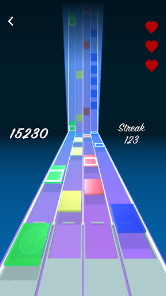
iDaft Jamming-Daft Punk Sounds

 3.7
3.7 1,000,000+ Downloads
1.8.1 Version
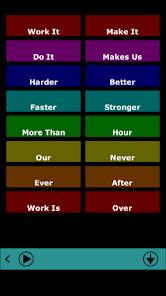
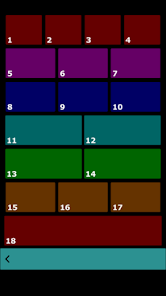
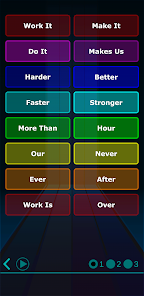
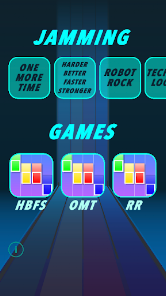
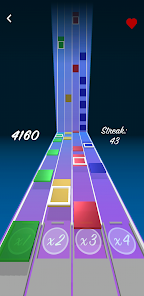
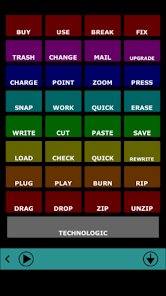
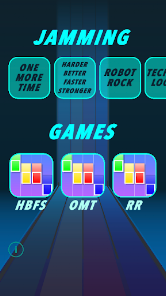
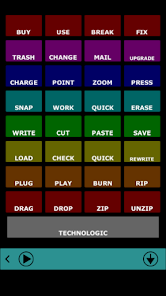
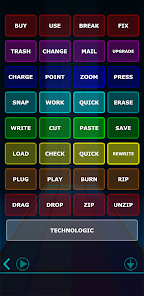
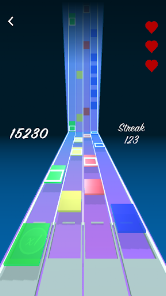
Information
- Category: Arcade
- Price: free
- Age Rating: Everyone
- Available on: Android, Windows*
- Developer: Drohm
- Updated on: Oct 27, 2025
Pros 
-
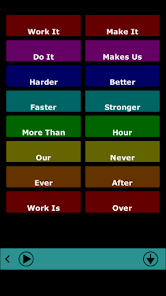
 Experience iconic Daft Punk sounds
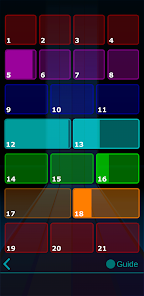
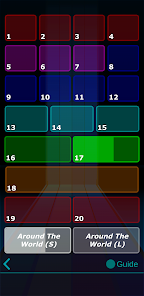
 - Create your own unique beats
- User-friendly interface design
- Share your jams with friends
- Endless jamming possibilities await
Cons 
-
 Limited sound variety available
 - User interface can be confusing
- Occasional lag during playback
- No offline mode for use
- Lacks advanced editing tools
Get Installation Details  Google Play
  App Store
Google Play App Store User Reviews
(6.6K Reviews) Alexander Reyes2024/09/12
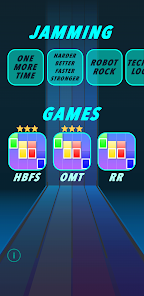
I bought the $1.99 in game purchase and can't play the whopper song from the menu, only way I can access it is the secret way after watching an ad. 😔 Was also hoping for longer segments, One More Time is missing that iconic bridge where the song slows down and it's only the singer and keyboard. Abruptly seems to start over when you feel like you are in the middle of a song on almost all of them 😢 Fun to play, guide works amazingly, worth the $2 in hopes of future development. 🤞🏽🤞🏽
- William Orchard2023/08/26
I really like this! But I would like it more if there were more songs on here. Like, where's Da Funk? Rollin and Scratchin? Prime Time of Your Life? Get Lucky isn't even there! Speaking of, it's only songs from Homework, Discovery, and Human After All. There's none from Alive, The Tron Legacy Soundtrack, and there's none from R.A.M either. But all criticism aside, it's a solid app. The jamming is pretty fun to mess around with, and the rhythm games are pretty fun, too. Overall, it's a cool app.
- Zack Bowers2024/11/25
Playing the different songs was a lot of fun. Each of the difficulty modes were sufficiently distinct to facilitate a reasonable learning curve, although I feel like 3-star mode for OMT could have been a bit more challenging. The biggest issue with the game is the calibration of the notes. HBFS and OMT were alright in that regard, but they could be better. But RR is almost a full beat behind, making that song almost unplayable. Fix that issue and you will have a 5 star game 😊
- Gage Buxton2026/06/24
While the game is a little rough around the edges, and a select few of the sound clips are oddly timed, it is a very fun little game to sort of fidget with. Played it for about an hour after downloading. Not perfect but very enjoyable :)
- Jonathan Östensson2024/11/29
It starts off fine and relaxed. Messed around with a couple of samples. But the mini games sometimes don't register that you're pressing the blocks and get stuck in a loop of a single note repeatedly being incorrect. The number of ads ramps up exponentially as you're trying to just navigate and play around. Would rate higher, but it's not stable enough yet.
Review Source: Google Play store public user reviews.
FAQ
Can I submit suggestions or feedback to iDaft Jamming-Daft Punk Sounds?
Yes, users can submit feedback through the app's support section or website.
Does iDaft Jamming-Daft Punk Sounds collect my personal data?
The app may collect anonymized usage data but does not require personal information for basic use.
Does iDaft Jamming-Daft Punk Sounds support offline use?
Yes, users can access certain features offline after downloading the necessary content.
How do I cancel my iDaft Jamming-Daft Punk Sounds subscription?
You can cancel your subscription through your app store account settings.
How much does a subscription to iDaft Jamming-Daft Punk Sounds cost?
Subscription costs vary; check the app for the latest pricing details.
How to use iDaft Jamming-Daft Punk Sounds
How can I contact customer service for iDaft Jamming?
You can reach customer service through the app's support section or visit the official website for contact details.
How do I activate iDaft Jamming?
To activate, enter the activation code provided during purchase in the app's settings.
How do I log in to the iDaft Jamming app?
Open the app and enter your registered email and password on the login screen.
Is activation necessary for iDaft Jamming?
Yes, activation is required to access all features. Follow the prompts after installation to activate your app.
What is the customer number for iDaft Jamming?
The customer number is typically found in the app's settings or on the official website under support.
What's New
- Recommended security updates to keep everybody happy!...and stability and performance improvements.
Similar Games







You May Like

Claw Master
CASUAL AZUR GAMES
3.7

Tasty Planet: Final Bite
Dingo Games
5.0
![Neon Valley 2 [AMOLED 3D]](https://img.appdetailspro.com/ccsimg/dcs/img_tools/9ce7afe49ee794662fecb571aa90c165.webp)
Neon Valley 2 [AMOLED 3D]
Quantic Bit

Draw Monowheel 3D
Deli ventures
3.2
4x4 Jeep Land Cruiser Game
AI GAME2233

Obby World: Brainrot World
NABA TECHNOLOGY INVESTMENT JOINT STOCK COMPANY
4.5

Fortnite
Epic Games
4.1

PBS KIDS Games
PBS KIDS
4.4

Township
Playrix
4.8

Pokémon GO
Niantic, Inc.
3.9

Jigsawcard Solitaire Puzzle
Oakever Games
4.7

Antistress Relaxing Mini Games
CAT Studio
4.5