
 Home
Home  Apps
Apps  Games
Games  Windows
  Terms of Service
  Cookies & Privacy Policy
  About us
InnoCaption Live Call Captions

 4.3
4.3 500,000+ Downloads
4.3.10 Version



Information
- Category: Communication
- Price: free
- Age Rating: Everyone
- Available on: /
- Developer: MEZMO Corporation
- Updated on: Jun 24, 2026
Pros 
-
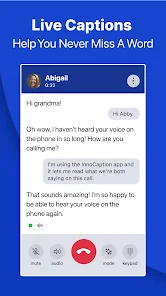
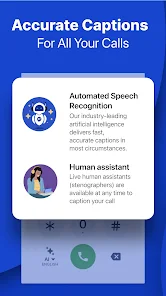
 InnoCaption Live Call Captions app offers a range of benefits for users seeking enhanced communication.
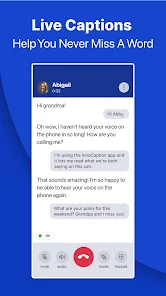
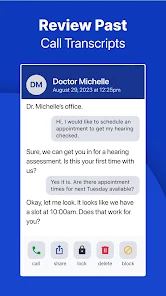
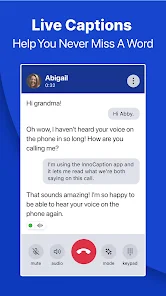
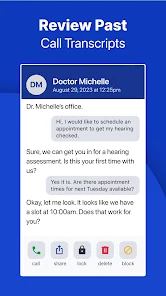
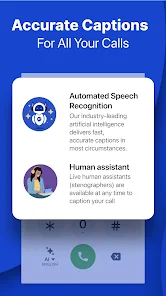
 - Experience real-time captions for calls, ensuring you never miss a word.
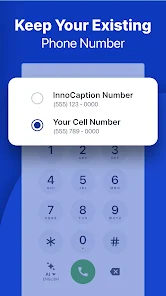
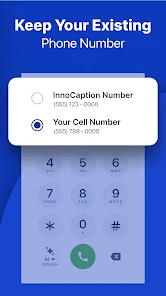
- Enjoy seamless integration with your phone, making it easy to use.
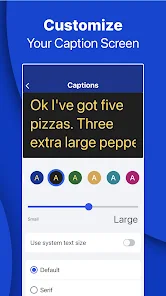
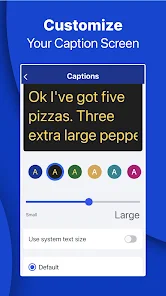
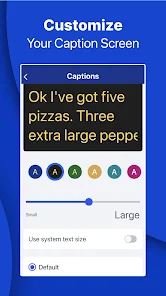
- Customize caption settings for better readability and comfort.
- Access a user-friendly interface designed for all ages.
- Stay connected with friends and family, regardless of hearing ability.
Cons 
-
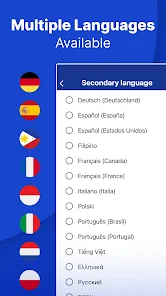
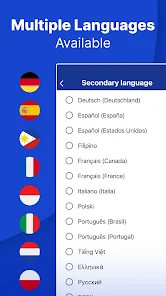
 Limited language support
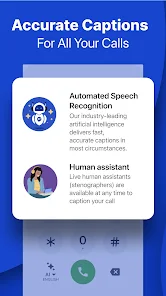
 - Accuracy can vary widely
- Requires stable internet access
- Not suitable for all accents
- May miss context in speech
Get Installation Details  Google Play
  App Store
Google Play App Store User Reviews
(6.47K Reviews) No Comment2025/11/25
I love being able to get real time captioning. This app does an excellent job. The app works by forwarding your calls to their HQ, then calling your phone. The problem is the dropped calls and the time between when the call comes in and when I am able to actually speak, people hung up. I missed important calls that I couldn't call back. A dropped call from England, which luckily I was able to return, cost me $60 since I don't have International calling. I had to remove this app.
- William Robertson (Bill)2025/01/03
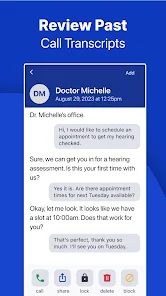
I finally gave up. Great customer service response time and willingness to help, but the app constantly has very bad connection to the internet (needed for VOIP) and nearly every call has such a poor quality that the other party complains they can't understand me or the caller can't hear me saying hello and gives up trying. I have missed some important medical phone calls, so I uninstalled the app and will just have to rely on my hearing aids and deal with not having any transcripts of my calls.
- Jack Huster2026/05/17
Despite being set up correctly so far I've missed a half a dozen important calls without my phone ringing. Completely useless without a WiFi network. Interferes with other apps that can operate using mobile data like Waze, any browsers, or anything that needs a data connection. Works great if you don't use your phone for anything else but calls. Still, hope springs eternal. It can only get better...I think.
- R2021/11/15
This was working relatively well before and I suggested to many people. As of now, I don't see missed calls in the call log, occasionally I cannot make calls, when receiving a call the sound on my phone lowers which requires a restart to get back to normal (super not cool for the hearing impaired), and there seems to be no point in saving favorites anymore because the settings will just go away. Seemed to be working great a couple months ago.
- Janeal Shippen2025/08/07
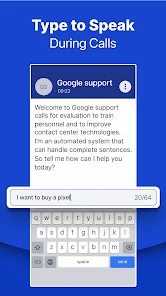
The transcription takes too long to connect after answering, sometimes up to 10 seconds, so callers hang up. I have missed important calls because of this. I would also like the option to answer some calls through my regular phone, especially for family video calls. I really like that it transcribes both sides of the conversation and appreciate the dyslexia setting. Overall, it is one of the better apps but could improve with a few tweaks.
Review Source: Google Play store public user reviews.
How to use InnoCaption Live Call Captions
How can I contact customer service for InnoCaption?
You can reach InnoCaption customer service by calling their support number or visiting their website for live chat options.
How do I log in to the InnoCaption app?
Open the app, enter your registered email and password, then tap 'Log In' to access your account.
Is there a way to activate InnoCaption on my device?
Yes, after downloading the app, follow the on-screen instructions to activate it using your phone number and verification code.
What is the customer service number for InnoCaption?
The customer service number for InnoCaption is available on their official website under the support section.
What's New
- InnoCaption v4.4.2- Minor bug fixes and performance improvements
Similar Apps











You May Like
GroupMe
GroupMe
4.6

Firefox Fast & Private Browser
Mozilla
4.6

Straight Talk My Account
Straight Talk
4.4
Messages: SMS, Messenger Home
Apps Specials
4.2
TracFone My Account
TracFone Wireless, Inc.
3.4

Receive SMS Temporary number
SMS tools
3.3

MCF Employee App
Mountain Country Foods

CorrLinks Text Chat
Advanced Technologies Group, LLC
2.7

GetCode - Virtual Number SMS
MIA DIGITAL SOLUTIONS
4.4

2nd Line - Second Phone Number
Dingtone Communications Ltd
4.3

iSharing: GPS Location Tracker
iSharingSoft, inc.
4.6

My Total Wireless: Account App
Total Wireless
4.3