
 Home
Home  Apps
Apps  Games
Games  Windows
  Terms of Service
  Cookies & Privacy Policy
  About us
Abyss Reader

 3.8
3.8 50,000+ Downloads
6.0.2 Version
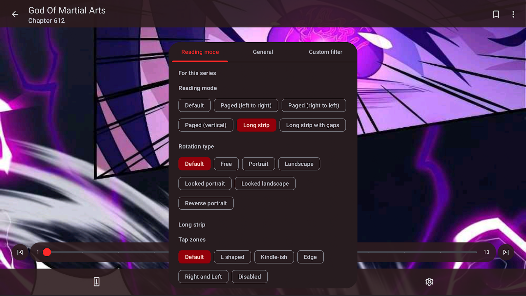
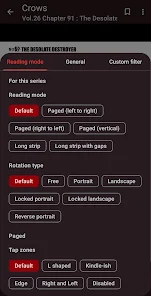
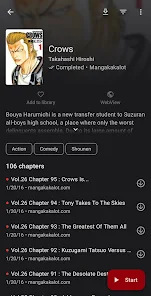
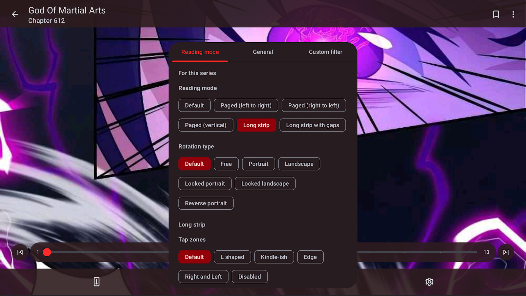
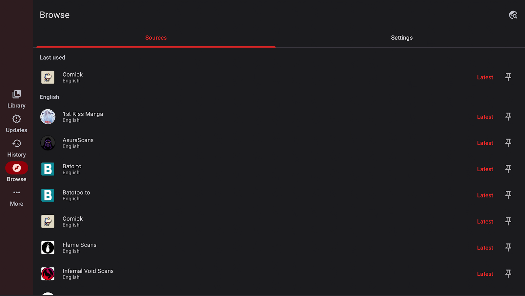
Information
- Category: Comics
- Price: free
- Age Rating: Everyone
- Available on: /
- Developer: AppVerseStudio
- Updated on: Apr 26, 2026
Pros 
-
 Abyss Reader offers seamless reading
 - Enjoy a clean, distraction-free interface
- Supports various eBook formats
- Sync your library across devices
- Customize your reading experience easily
Cons 
-
 Limited customization options
 - Occasional syncing issues
- User interface can be clunky
- Lacks advanced search features
- No built-in annotation tools
Get Installation Details  Google Play
  App Store
Google Play App Store User Reviews
(1.32K Reviews) Liam Cusack2025/02/27
As far as manga readers with ads go, this is one of the best. Typically I only need skip one ad at most per reading session, and sometimes not at all. There are tons of customization options which is also very nice. This could honestly be the best manga reader out there except for one glaring flaw which is the hellishly slow load/download time for pages. I'm on a brand new phone and connected to fiber internet and it sometimes takes almost 30 minutes to download a chapter, not exaggerating.
- Erika Harmon (Pandaberika)2025/09/13
Love it! Since I was a kid I'd go through searches on all the different websites taking forever to find what I want to read. And you could forget it if you wanted to download anything! Now, I have yet to find an app with as many sources as well as a clean reading experience with minimal ads and so much personalization! I'll cry if it ever updates out of my old rinky-dink tablet's OS 😭 (Which it still runs perfectly on BTW)
- Alondra Mujica2025/03/15
It's a fantastic app that's pretty simple to use, but is anyone else randomly hearing music? This is brand new, and it's honestly a little distracting, and I can't find a way to turn it off It's a piano that stars playing when the banner of ads starts and I thought I was going crazy but no the app plays some sort of classical song! Team, beautiful as it sounds, can I turn this feature off somewhere or where did I go wrong? 😅
- Pav Xia Vue2025/10/20
I enjoy the app. 1 major issue i have is that some pages dont load. it tells me there's an error and to retry. but I constantly press the button, I even close out the app and load back in, and it does the same thing. Nothing works. there are always a few missing pages per chapter, and it's irritating because I miss some important parts and some rich scenes. literally every story I read, there is always a missing page. im tempted to just give it a 2 star rating because it happens every chapter.
- Thalente Yalo2026/06/25
it's amazing, has any and every manga i can think of and you can browse to look for new ones without recommendations, too bad there isn't a version that lets you get light novels but I'm in love with this app. none come close and it's completely free. Download and you won't regret
Review Source: Google Play store public user reviews.
How to use Abyss Reader
How can I contact customer service for the Abyss Reader app?
You can contact customer service through the app's support section or visit their official website for assistance.
How do I activate my Abyss Reader account if needed?
If activation is required, check your email for an activation link after registration and follow the instructions provided.
How do I log in to my Abyss Reader account?
Open the app, tap on the login option, and enter your registered email and password to access your account.
Is activation required for the Abyss Reader app?
No activation is required; simply download the app and start using it right away.
What is the customer number for Abyss Reader support?
The customer number is typically found in the app's settings or on the official website under the support section.
What's New
- AbyssReader 6.0- Manga migration between sources (single & mass)- Home screen widgets with recent updates- Upcoming releases screen- Manga notes- Selective backup & restore with app settings- Updates tab filters- Configurable parallel downloads- Copy page image to clipboard- Improved Cloudflare detection- Updated broken sources and added new ones- Bug fixes and performance improvements
Similar Apps








You May Like

KAI: Comic Maker Manga, Manhwa
MOBIVERSITE YAZILIM BILISIM REKLAM VE DANISMANLIK
4.0

ComicZoom
spoercsdingshe
4.4

MANGA BANG!
Amazia,inc.
3.7

Infinite Comics
無限漫畫
3.5

ZapCom: comic & manga
Cqhy Network
3.3

Tinyview Comics
Newput Inc.
4.7
Perfect Viewer X
Rookie001
2.7

ARTAI: AI Comic & Manga Maker
Comic & Anime Maker AI
4.0

Manga Translator - Translate
Wiryaimd
3.1

漫画 ”Renta”マンガ レンタル漫画アプリ
株式会社パピレス
4.6

Funny Jokes And Riddles
Marco Studios
4.5

Microsoft Word App
Microsoft Corporation
4.8