
 Home
Home  Apps
Apps  Games
Games  Windows
  Terms of Service
  Cookies & Privacy Policy
  About us
漫画 ”Renta”マンガ レンタル漫画アプリ

 4.6
4.6 1,000,000+ Downloads
3.2.1 Version
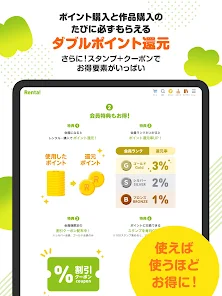
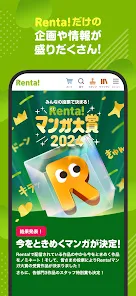
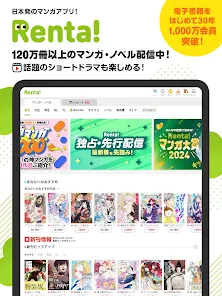
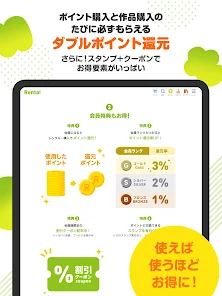
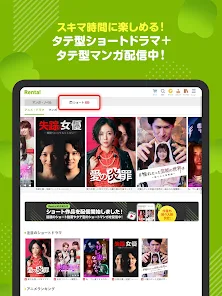
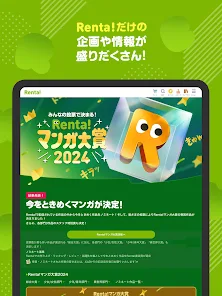
Information
- Category: Comics
- Price: free
- Age Rating: Teen
- Available on: /
- Developer: 株式会社パピレス
- Updated on: May 10, 2026
Pros 
-
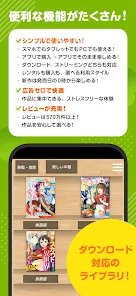
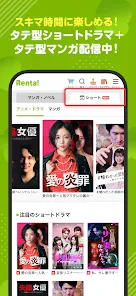
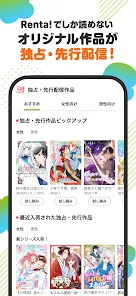
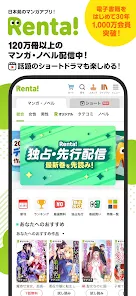
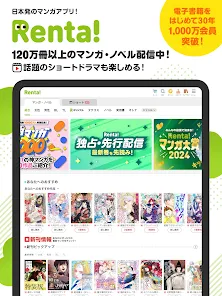
 Discover a vast library of manga!
 - Enjoy affordable rental options!
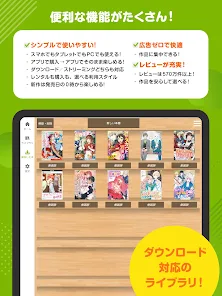
- Read anytime, anywhere on your device!
- User-friendly interface for easy navigation!
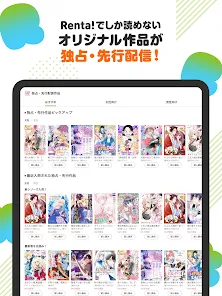
- Stay updated with the latest releases!
Cons 
-
 The app has limited manga titles available
 - Users may experience slow loading times
- Subscription fees can add up quickly
- Some features are not user-friendly
- Ads can disrupt the reading experience
Get Installation Details  Google Play
  App Store
Google Play App Store User Reviews
(5.6K Reviews) JJStarStyle Phin2026/03/18
Overall, I think this is one of best site to purchase manga, since it provide payment method for overseas customer. I do hope they are able to offer more novel and manga, since noted some of my fav are not available in the site.
- RM2021/08/07
Renta supports a variety of payment methods which I'm glad they do, because it's the only app/site that allows me to pay for my comics using Google Play. I'm now able to support the mangakas I love while also learning Japanese. Thank you! And for English speakers giving this low ratings, this app isn't catered for the English speaking audience, please be respectful.
- maya dee2021/10/22
Anyway, you should really have an option to change the language to english. I think lots of readers like me who doesn't speak Japanese but want to support the mangaka by buying the raws, moreover this app offers google pay payment which is really convenient to use rather than using credit cards.
- Jessies Randomness2024/04/16
While my japanese is not very good, there used to be a setting to switch to english. When you scroll to the bottom of the screen there were language options, however it disappeared. I don't know if maybe it is a bug or because of a new update and it was moved, but my japanese is not good enough to find out where i can change the language. Update: nevermind i found it 😂 it was quite the hassle though
- Elizabeth Rohrs2021/06/17
The app is very responsive and functional. I can't read Japanese, but app good design is app good design. Most of the negative reviews I've seen (From English speaking users) is there isn't an English setting. So be warned that you do have to know Japanese to use this app effectively, but I'm giving it 5 stars to even out the ratings from people who can't fathom an app catering to people other than English speakers.

Review Source: Google Play store public user reviews.
FAQ
Can I submit suggestions or feedback to 漫画 ”Renta”マンガ レンタル漫画アプリ?
Yes, users can submit feedback through the app's support section or contact form.
Does 漫画 ”Renta”マンガ レンタル漫画アプリ collect my personal data?
Yes, the app collects personal data for account management and personalized services, but it follows privacy regulations.
Does 漫画 ”Renta”マンガ レンタル漫画アプリ support offline use?
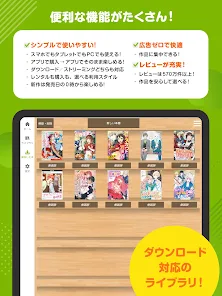
Yes, users can download manga for offline reading within the app.
How do I cancel my 漫画 ”Renta”マンガ レンタル漫画アプリ subscription?
You can cancel your subscription through the app settings or your account management page.
How much does a subscription to 漫画 ”Renta”マンガ レンタル漫画アプリ cost?
Subscription costs vary based on rental duration and selected titles, typically starting at a low monthly fee.
How to use 漫画 ”Renta”マンガ レンタル漫画アプリ
Can I change my account information in the Renta manga app?
Yes, you can update your account information in the settings section of the app.
How can I contact customer service for the Renta manga app?
You can contact customer service through the app's help section or visit their official website for support options.
How can I delete my account on the Renta manga app?
To delete your account, contact customer service for assistance, as this action cannot be done directly through the app.
How do I log in to the Renta manga app?
Open the app, tap on the login button, and enter your registered email and password to access your account.
How do I reset my password for the Renta manga app?
Use the "Forgot Password" option on the login screen to receive a reset link via email.
What's New
- ・こまかい修正を行いました
Similar Apps








You May Like

KAI: Comic Maker Manga, Manhwa
MOBIVERSITE YAZILIM BILISIM REKLAM VE DANISMANLIK
4.0

ComicZoom
spoercsdingshe
4.4

MANGA BANG!
Amazia,inc.
3.7

Infinite Comics
無限漫畫
3.5

ZapCom: comic & manga
Cqhy Network
3.3

Tinyview Comics
Newput Inc.
4.7
Perfect Viewer X
Rookie001
2.7

ARTAI: AI Comic & Manga Maker
Comic & Anime Maker AI
4.0

Abyss Reader
AppVerseStudio
3.8

Manga Translator - Translate
Wiryaimd
3.1

Funny Jokes And Riddles
Marco Studios
4.5

Microsoft Word App
Microsoft Corporation
4.8