
 Home
Home  Apps
Apps  Games
Games  Windows
  Terms of Service
  Cookies & Privacy Policy
  About us
Bus Jam Rush

 4.6
4.6 500,000+ Downloads
1.0.1 Version
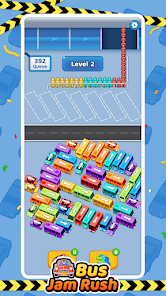
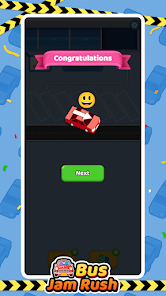
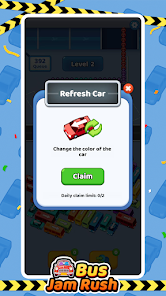
Information
- Category: Casual
- Price: free
- Age Rating: Everyone
- Available on: Android, Windows*
- Developer: StudyPort
- Updated on: Feb 5, 2026
Pros 
-
 Experience thrilling gameplay that keeps you engaged for hours of fun!
 - Navigate through challenging levels that enhance your strategic thinking skills!
- Enjoy vibrant graphics and immersive sound effects for an exciting atmosphere!
- Compete with friends and climb leaderboards for added motivation and challenge!
- Unlock new buses and upgrades, allowing for personalized gameplay experiences!
Cons 
-
 Long waiting times can frustrate players and diminish engagement.
 - Limited strategic depth may reduce replay value over time.
- Unpredictable outcomes can lead to player dissatisfaction and confusion.
- Graphics and design might lack appeal for some players.
Get Installation Details  Google Play
  App Store
Google Play App Store User Reviews
(35.4K Reviews) Bradley Seemayer2026/05/28
process is a little weird also got all the way to $20, shy of the first big withdrawal. And it stopped collecting cash, so it's not even getting me credit to be able to do the withdrawal and stop earning, we'll\n Give a better rating. When i'm actually able to withdraw my first eight hundred dollar withdrawal , not these pennies
- Matthew Yehle2026/05/06
The game is fun. The payout on the left is legit. Unfortunately it is not instant payout. The money on the right cannot be withdrawn. Do not waste your time trying to contact customer service. They will not respond. I find it very frustrating, offering players a nice payout that technically they are not willing to honor.
- Ruth Santiago2026/06/01
yes it does give payouts quickly but once you get so far and it starts really giving you pennies at level 39 and I'm really getting pennies now like this is crazy there are high prices and now they're pennies like this is crazy I should have never changed more or less the higher you go up the more it should be that you get paid out and it's not but I feel the higher the higher payment in levels
- DeAnna Gould2026/06/12
so disappointed, I really do love this game but now it's saying connection lost, like I have no connection to the game either thru wifi or even data. i don't know what happened but something needs fixing cuz I also even un installed and re installed the game and still says the same thing
- Macy Williams (Miss Lethal)2026/02/15
it's real yo!! it might be a penny at 1st withdrawal but it does in fact get better as you play it. now hear me out folks ,please. my advice to you is to watch the ads as they come across to you they aren't very long at all , I for one DO understand the frustration of the ads but it is for sure the way to go.
Review Source: Google Play store public user reviews.
FAQ
Does Bus Jam Rush collect my personal data?
Bus Jam Rush may collect certain data to enhance user experience and for analytics, but it adheres to privacy policies to protect your personal information.
Does Bus Jam Rush offer a free trial or free version?
Yes, Bus Jam Rush offers a free version with optional in-app purchases to enhance your gameplay experience.
Does Bus Jam Rush require an internet connection?
While Bus Jam Rush can be played offline, certain features such as multiplayer modes and updates may require an internet connection.
How can I contact support or send feedback for Bus Jam Rush?
You can contact support or send feedback for Bus Jam Rush through the in-app support feature or by visiting the official website for customer service options.
How do I manage or cancel my Bus Jam Rush subscription?
You can manage or cancel your Bus Jam Rush subscription through your device's app store settings or directly within the app's account settings.
How to use Bus Jam Rush
How can I contact customer service for the Bus Jam Rush app?
You can reach customer service through the app's settings or visit our website for support options.
How do I log in to my Bus Jam Rush account?
Open the app, tap on the login button, and enter your registered email and password.
Is there a way to activate my Bus Jam Rush account?
If you need to activate your account, check your email for a verification link after registration. Click the link to activate.
What is the customer service number for Bus Jam Rush?
The customer service number is available in the app under the help section or on our official website.
What's New
- bug fix
Similar Games












You May Like

Township
Playrix
4.8

Antistress Relaxing Mini Games
CAT Studio
4.5

Vigor Solitaire for Seniors
Vigor Games Studio

Urban Raid Ops
Megas Game Studio

Sporcle Party: Social Trivia
Sporcle, Inc
4.3
Sola Mahjong
NEXT INITIATIVES LIMITED
4.9
Party Fishing
Candoo Games

Match The Shape
PT. Kreatif Maju Bersama

Gun Sound: Gun Shoot Simulator
Wild Kanga
3.8

Funny Park : Idle Game
zame
3.7

Deal To Be Richest
VGames Pte. Ltd.
4.7

Coin Sort
Lion Studios Plus
4.4