
 Home
Home  Apps
Apps  Games
Games  Windows
  Terms of Service
  Cookies & Privacy Policy
  About us
Comet: AI Browser & Assistant

 4.4
4.4 1,000,000+ Downloads
1.18.0 Version

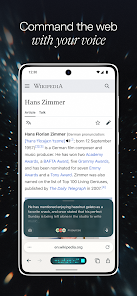
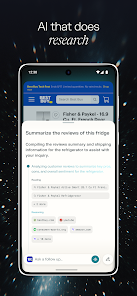
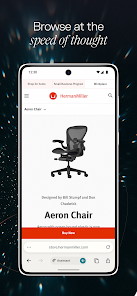
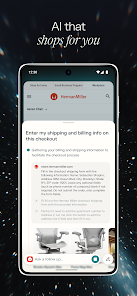
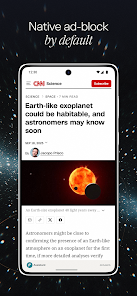
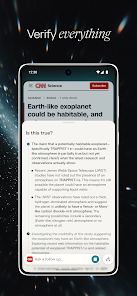
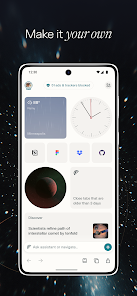
Information
- Category: Communication
- Price: free
- Age Rating: Everyone
- Available on: /
- Developer: PerplexityAI
- Updated on: Jul 1, 2026
Pros 
-
 Comet enhances productivity with intelligent browsing suggestions tailored to your needs.
 - Access real-time information effortlessly, streamlining your research and decision-making process.
- The intuitive interface ensures a seamless user experience for all skill levels.
- Integrated AI assistance helps manage tasks and reminders efficiently.
- Comet prioritizes privacy, keeping your data secure and confidential.
Cons 
-
 Limited customization options hinder user experience.
 - Performance may lag with heavy browsing tasks.
- Privacy concerns due to data collection practices.
- Integration with other tools can be inconsistent.
Get Installation Details  Google Play
  App Store
Google Play App Store User Reviews
(38.4K Reviews) Hvy Hx2026/05/22
it would get a better rating if it didn't always want to be the default browser. until tokens are free setting this as your default browser would be annoying, as you'd run out of tokens too quickly. Don't get me wrong, this app is awesome and what you get for paying is good. PC verson does the same thing and request to be your default browser all the time. as of me posting this you cannot tell it to stop being annoying about the default browser hopefully in a future update they can turn it off
- Daisy Lynn2026/04/12
This browser is a great start but sadly incomplete and not the final finished product. No password manager. Doesn't transfer bookmarks from other browsers. Lacking additional plugins. Not the most trustworthy browser for blocking and preventing tracking. AI for searching the web however is the best out there. The main concept of this browser is a great idea but the execution so far is not solid. When are we going to get the finished product?
- J2026/05/05
This app is a game changer for me. As someone who is dyslexic this has made using the Internet infinitely easier. I'm sure as the app expands and progresses it will be a top used app amongst all users. I don't think there has been a prompt or command I've tried that didn't work. For example, after getting a gist of a page from a summary, I can ask it to open all mentioned external links EDIT: I use SOLEY this browser now. 💯💯💯💯💯
- Nicolas Collins (Nick)2026/01/30
Absolutely phenomenal so far! Edit: Okay, there are definitely a few things to add or improve upon. But I have faith it will eventually be the best. 1. Obviously downloads are a thing. 2. Cannot auto fill natively but has to use another system, only seems to work with Google auto fill within the browser. 3. Cannot upload or view html files that I create within the Perplexity app in the browser 4. syncing is also a thing. Good luck guys! I'm sure Perplexity can help you figure out a fix 😬
- Chris Hill2026/02/10
So far im really enjoying the browser just 1 minor issue (in my eyes). Can you add more ways to customize the browsing experience. More customization. Putting address bar at top, swipe address bar left or right to switch to different open tabs, setting homepage and maybe a way to lock the incognito browser like on chrome browser. Better access to settings of the browser (maybe im just use to chrome browser or just being picky, but im sure im not the only one missing these kind of features).
Review Source: Google Play store public user reviews.
FAQ
Does Comet: AI Browser & Assistant collect my personal data?
Comet: AI Browser & Assistant may collect certain personal data to enhance user experience and improve service functionality, but it adheres to strict privacy policies to protect user information.
Does Comet: AI Browser & Assistant offer a free trial or free version?
Yes, Comet: AI Browser & Assistant offers a free version with basic features, as well as a free trial for users to explore premium features before committing to a subscription.
Does Comet: AI Browser & Assistant require an internet connection?
Yes, Comet: AI Browser & Assistant requires an internet connection to access web content and utilize its AI features effectively, as it relies on online resources for delivering real-time information.
How can I contact support or send feedback for Comet: AI Browser & Assistant?
To contact support or provide feedback for Comet: AI Browser & Assistant, users can access the help section within the app or visit the official website for customer service options and contact information.
How do I manage or cancel my Comet: AI Browser & Assistant subscription?
You can manage or cancel your Comet: AI Browser & Assistant subscription through your account settings within the app or by visiting the official website, where detailed instructions are provided.
How to use Comet: AI Browser & Assistant
How can I contact customer service for the Comet app?
You can reach customer service through the app's help section or visit the official website for support options.
How do I log in to the Comet app?
Open the app, enter your registered email and password, then tap 'Log In' to access your account.
Is there a way to activate the Comet app?
If activation is required, follow the instructions in the welcome email or the app's setup guide to complete the process.
What is the customer number for Comet support?
The customer number can be found in the app's settings under 'Support' or on the official website.
Similar Apps













You May Like

GroupMe
GroupMe
4.6

Firefox Fast & Private Browser
Mozilla
4.6

Straight Talk My Account
Straight Talk
4.4

Messages: SMS, Messenger Home
Apps Specials
4.2
TracFone My Account
TracFone Wireless, Inc.
3.4

Receive SMS Temporary number
SMS tools
3.3

MCF Employee App
Mountain Country Foods

CorrLinks Text Chat
Advanced Technologies Group, LLC
2.7

GetCode - Virtual Number SMS
MIA DIGITAL SOLUTIONS
4.4

2nd Line - Second Phone Number
Dingtone Communications Ltd
4.3

iSharing: GPS Location Tracker
iSharingSoft, inc.
4.6

InnoCaption Live Call Captions
MEZMO Corporation
4.3