
 Home
Home  Apps
Apps  Games
Games  Windows
  Terms of Service
  Cookies & Privacy Policy
  About us
Sattva: Meditation and Mantras

 4.3
4.3 1,000,000+ Downloads
9.6 Version

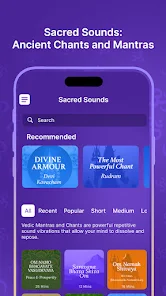
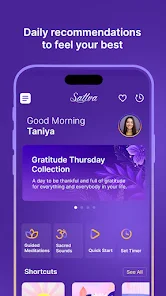
Information
- Category: Health & Fitness
- Price: free
- Age Rating: Everyone
- Available on: /
- Developer: Sattva.Life
- Updated on: Jul 3, 2026
Pros 
-
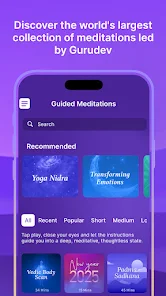
 Experience guided meditations
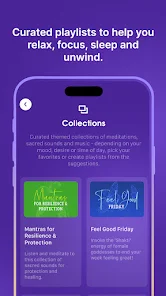
 - Explore a variety of mantras
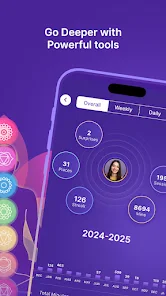
- Track your mindfulness journey
- Customize your meditation sessions
- Join a supportive community
Cons 
-
 Limited free content available
 - User interface can be cluttered
- In-app purchases can add up
- Not suitable for beginners
- Occasional technical glitches
Get Installation Details  Google Play
  App Store
Google Play App Store User Reviews
(7K Reviews) A Google user2019/05/28
"Revamped" means turned many free features into paid features, with no warning given to long time users. Now they want $13/month minimum for us to access features that we previously had for free. No thanks. After many years using this app, and having beta tested their web version, I'm looking for an alternative. Taking away our meditation stats without any warning and then asking us to pay to get them back is not ok.
- Madhangesh PB2026/06/26
The app is easy to navigate, user friendly and has different recommendations daily, very relaxing and calming but it has an issue in stability since four days and meditation is not starting with time , stay paused all the time, very frustrating at times! and not even approving the complete option even though I did the meditation. I can't do mediation in this app and I tried everything possible but nothing is improving. Please some one change it
- Gautam Balachandran2026/04/06
Recent issue : While meditating, either with music or chants, the sound gets cut off in the middle, and even the timer shows only half the actual meditation time. This is very annoying, especially when I'm trying to meditate for long periods. please fix this soon!
- Varsha Choudhary2026/06/11
wonderful collection of really helpful knowledge, meditation, and breathing techniques.
- Aakaash Nair2026/05/26
No Bluetooth connectivity... which is a big minus. Also whatever we add to favourites cannot be accessed or viewed anywhere. I was very excited to use this app but looks like i cannot use it without basic features.
Review Source: Google Play store public user reviews.
How to use Sattva: Meditation and Mantras
How can I contact customer service for the Sattva app?
You can reach customer service through the app's settings or visit the official website for support options.
How do I activate my Sattva subscription?
To activate your subscription, go to the app's settings, select "Subscription," and follow the prompts to enter your payment information.
How do I log in to the Sattva app?
Open the app and enter your registered email and password. If you forgot your password, use the "Forgot Password" option.
What is the customer number for Sattva?
The customer number is typically found in the app's help section or on the website. Please check there for the most accurate information.
What's New
- Bug Fixes
Similar Apps















You May Like

Finch: Self Care Pet
Finch Care Public Benefit Corporation
4.9

BitePal: Food Tracker Pet
RefaceLithuania
4.6

HIIT Workout for Men Lite
HIIT Workout Soft
4.2

AI Calorie Counter - Appediet
Appediet Information PTE. LTD
4.7

Simple: Intermittent Fasting
Simple.Life Apps Inc
4.4

Raize: Workout, Fitness & Diet
activerse.app: Fitness, Nutrition, Home Workouts
4.8

PURE PHYSIQUE
TRAINERIZE

Pooca
NATUREAI TECHNOLOGY PTE. LTD.
4.7

Liftoff - Ranked Gym Workouts
GymBros Inc.
4.7

Intermittent Fasting and Diet
Europosit

Gravl: Personal Trainer
GAINS COACH PTY LTD
4.6
Gentle Wakeup Pro - Sunrise
Dr. Alexander Rieger
4.9