
 Home
Home  Apps
Apps  Games
Games  Windows
  Terms of Service
  Cookies & Privacy Policy
  About us
Text Free


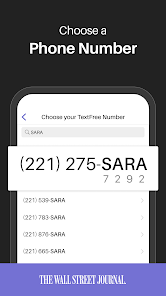
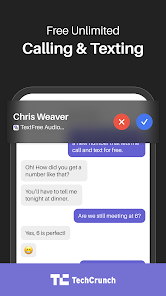
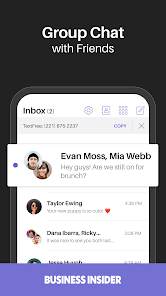
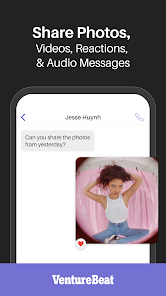
Information
- Category: Social
- Price: free
- Age Rating: Everyone
- Rating: 4.4
- Developer: Pinger, Inc
- Version: 13.10
TextFree: Private Texting App is a mobile application that allows users to send and receive text messages without using their phone's SMS plan. The app uses an internet connection (either Wi-Fi or data) to send and receive messages, which means that users can avoid using their mobile phone plan's SMS quota and save money on their phone bill. TextFree: Private Texting App also includes features such as customizable themes, the ability to send and receive photos and videos, and support for group conversations. The app is available for download on iOS and Android devices.
Features & Highlights
Text Free is an innovative communication app that offers a variety of features designed to enhance your messaging and calling experience. Here are some of the standout features that I found particularly useful:
Real Experience Using Text Free
Application Scenarios
As someone who juggles multiple responsibilities between work and personal life, Text Free has seamlessly integrated into my daily routine. One of my favorite scenarios is using the app for work-related communications. I often need to contact clients who prefer not to share their numbers. Having a dedicated Text Free number allows me to maintain professionalism while keeping my personal number private.
In my personal life, I frequently use Text Free for coordinating family gatherings. The group messaging feature simplifies communication, allowing us to quickly decide on dates, locations, and activities without the hassle of long email chains. Additionally, during my recent travels, I relied on Text Free to stay connected with friends back home without incurring hefty international texting fees.
User Experience
The user interface of Text Free is clean, intuitive, and easy to navigate. Upon opening the app, I was greeted with a straightforward layout that didn’t overwhelm me with options. Sending a message or making a call is as simple as tapping a button, which is essential for someone like me who values efficiency.
Performance-wise, the app has been reliable. I’ve experienced very few glitches, and the call quality is surprisingly good, even on Wi-Fi. Notifications are timely, and I appreciate the ability to customize them. Overall, my experience with Text Free has been positive, making it an essential tool in my communication arsenal.
Pricing
Text Free operates on a freemium model, which means that the core features such as texting and calling are free, supported by ads. While the app does offer a premium subscription that removes ads and provides additional features, I find the free version sufficient for my needs. The premium upgrade is reasonably priced, making it an attractive option if you desire an ad-free experience.
Updates & Support
The development team behind Text Free appears committed to constant improvement. I’ve noticed regular updates that introduce new features and enhance existing ones. Customer support is readily available through their help section, and I appreciate their responsiveness to user feedback. Whenever I’ve encountered an issue, I’ve received prompt assistance, which makes me feel valued as a user.
Security & Privacy Review
When it comes to security and privacy, Text Free takes several measures to ensure user safety. The app is available on both the App Store and Google Play, providing a level of trust for users concerned about downloading from secure sources. However, it’s essential to be aware of the registration process; you will need to provide some personal data to create an account, although it doesn’t require sensitive information like your social security number.
One concern I had was regarding ads and tracking behavior. As with many free apps, Text Free does display advertisements, and there may be some tracking to personalize these ads. However, I didn’t feel that the app intruded on my privacy significantly. Users should always review privacy policies and settings to ensure they are comfortable with the data being shared.
In conclusion, Text Free has proven to be an effective communication solution that balances functionality with user privacy. Whether for personal or professional use, it offers a range of features that are easy to use and highly beneficial. Overall, I would recommend it to anyone looking for a reliable texting and calling app without the pressure of additional costs.
Pros 
-
 Enjoy a private number for personal and business calls
 - Easily manage multiple conversations without extra devices
- No need for a separate SIM card or phone
- Access voicemail and texts in one convenient app
- Stay connected without exposing your primary number
Cons 
-
 Limited features compared to traditional phone services can hinder user experience
 - Privacy concerns may arise with using a second number for communication
- Inconsistent call quality can lead to frustrating conversations and missed connections
Get Installation Details  Google Play
  App Store
Google Play App Store FAQ
Can I submit suggestions or feedback to Text Free: Second Call Number?
Yes, users can submit suggestions or feedback through the app's support or feedback section.
Does Text Free: Second Call Number collect my personal data?
The app may collect certain personal data to provide its services, but it follows privacy policies to protect user information.
Does Text Free: Second Call Number support offline use?
Text Free: Second Call Number requires an internet connection to function, so it does not support offline use.
How do I cancel my Text Free: Second Call Number subscription?
You can cancel your subscription through your device's app store settings or directly within the app's account settings.
How much does a subscription to Text Free: Second Call Number cost?
Subscription pricing for Text Free: Second Call Number varies depending on the plan, with options for monthly or yearly subscriptions.
How to use Text Free
How can I change my Text Free number after activation?
Go to the app settings, select 'Change Number,' and follow the prompts to choose a new number.
How can I contact customer service for the Text Free app?
You can reach Text Free customer service through the app's settings or visit their website for support options.
How do I activate my Text Free number?
After downloading the app, follow the on-screen instructions to select and activate your second phone number.
How do I log in to my Text Free account?
Open the app and enter your registered phone number and password, then tap 'Log In.'
How do I update my payment information in Text Free?
Access the app's settings, choose 'Account,' and then 'Payment Information' to make updates.
Similar Apps














You May Like

Threads
Social
3.9
MeetMe: Chat & Meet New People
Social
3.8

Truth Social
Social
3.1

TikTok Lite - Faster TikTok
Social
4.3

ONLYFUN: Random Video Chat
Social
4.2

Lumi: Local Meet Dating
Social
4.5

HotDate
Social
4.6

Charmed : Swipe Local Singles
Social
4.4

Tiktok
Social
4.4

House Party
Social

purp - Make new friends
Social
4.3

Howbout: shared calendar
Social
4.6