
 Home
Home  Apps
Apps  Games
Games  Windows
  Terms of Service
  Cookies & Privacy Policy
  About us
LiveU Control+

 /
/ 5,000+ Downloads
2.2.0 Version
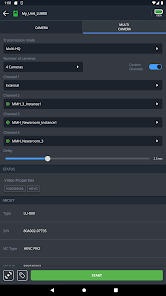
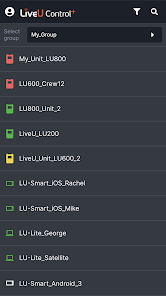
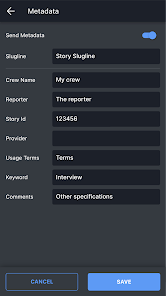
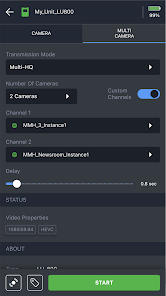
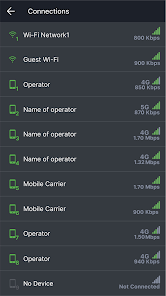
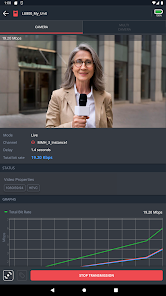
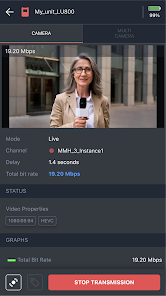
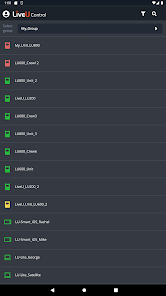
Information
- Category: Tools
- Price: free
- Age Rating: Everyone
- Available on: /
- Developer: LiveU Inc.
- Updated on: Jun 10, 2026
Pros 
-
 Experience seamless streaming
 - Manage multiple streams easily
- Real-time monitoring and alerts
- User-friendly interface design
- Cloud-based for flexibility
Cons 
-
 Limited device compatibility
 - Steep learning curve for users
- Occasional connectivity issues
- High data usage during streams
- Requires stable internet access
Get Installation Details  Google Play
  App Store
Google Play App Store User Reviews
 Chad Anderson2023/08/31
Works just like the previous app, but things are laid out much more nicely. I still wish filter settings would persist between launches: I almost never need to see offline units and yet, unlike in LiveU Central, I have to set the filter every time I log in. Maybe change the color of the filter icon when in use and display a number to indicate how many filters are active.
- Gavin Hornak2023/11/28
Terrific app! Very snappy interface. All the necessary tools in an easy location.
- Michael Maged2023/10/23
Very slow while loading
Review Source: Google Play store public user reviews.
How to use LiveU Control+
How can I contact Customer Service for the LiveU Control+ app?
You can reach Customer Service by visiting the LiveU website and using the contact form or calling their support number listed there.
How do I activate the LiveU Control+ app?
To activate, open the app, go to settings, and enter your activation code in the designated field. Follow the prompts to complete the process.
How do I log in to the LiveU Control+ app?
To log in, open the app and enter your registered email and password. If you don’t have an account, you can create one directly in the app.
Is activation necessary for the LiveU Control+ app?
Yes, activation is required. You will need to enter your activation code provided during your purchase to access all features.
What is the customer number for LiveU support?
The customer support number for LiveU can be found on their official website under the support section.
What's New
- Bug fix for user login when two-factor authentication (2FA) is enabled.
Similar Apps














You May Like

Cleaner Launcher for Android
Putul Host IT Dev
4.3

Move to iOS
Apple
3.7
QR & Barcode Scanner
1MB
4.3

Samsung Smart Switch
Samsung Electronics Co., Ltd.
4

Phone Tracker - GPS Location
Family Locator Inc.
4.3

AXS Tickets
AXS, LLC
4.8

My Verizon
Verizon Wireless
4.7

Smart Printer: Print Documents
Albert Gerassimov
4.0
Screen Mirroring - Castto
Softoria LLC
4.6

Seeing
Lonsen Electronics Limited
3.7

Recover Deleted Messages App
Longnine
4.6

Junk Cleaner Pro
ByteWizard
4.4