
 Home
Home  Apps
Apps  Games
Games  Windows
  Terms of Service
  Cookies & Privacy Policy
  About us
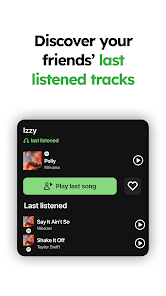
MUBR - see what friends listen

 3.6
3.6 1,000,000+ Downloads
1.0.20 Version
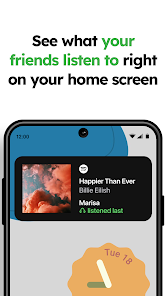
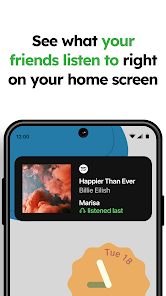
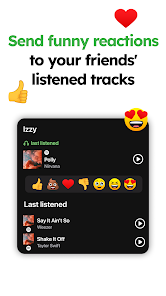
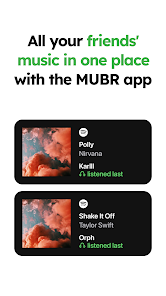
Information
- Category: Music & Audio
- Price: free
- Age Rating: Everyone
- Available on: /
- Developer: Island Storm Labs
- Updated on: Jan 23, 2025
Pros 
-
 Discover new music together
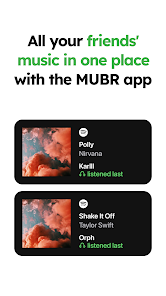
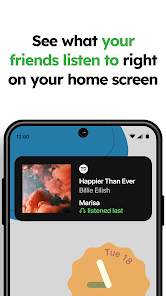
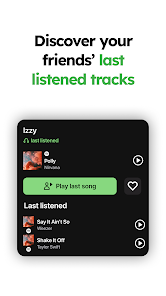
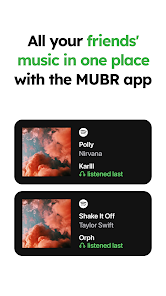
 - See what friends are listening to
- Share playlists effortlessly
- Get personalized recommendations
- Connect with music lovers easily
Cons 
-
 MUBR may lack user privacy
 - Limited music library access
- Inconsistent friend activity updates
- Potential for data overuse
- User interface can be confusing
Get Installation Details  Google Play
  App Store
Google Play App Store User Reviews
(4.94K Reviews) Ichi2023/09/01
Widget doesn't work (displays nothing), you don't get updated songs unless you pay for their subscription without the subscription it's pretty outdated. This doesn't provide a service I would ever pay for nor would I recommend anyone pay for this. Just to display what friends are playing? Spotify already has a widget function and you can just play a playlist you have friends added to. Do not bother installing this. Definitely don't bother paying for the subscription. Truly a waste of space.
- Arlo Hernandez2023/04/05
Barely works at all. Me and my gf tried to use it after seeing a video about it but when we listened to music to see if it would appear on our phones it wouldn't update until hours later. The widget itself also disappears randomly and only reactivates for a little while after you click it. It's a very cute concept but it sadly just isn't well made and I'd love to see it be improved. For the people who want to use this I instead recommend using discord to keep up with each others music. :)
- A random Memer Of Low Quality2023/12/15
Having had this since week 1 of the android launch, and waiting for it since before release, it's just kind of meh. It didn't originally have live song updates, and as soon as it did those became part of a new premium version. And I get that you need money but that's the main advertised feature guys. I was in the discord for a while and honestly that feels like it's had more work put into it than the app.
- NekoGirl2023/10/05
Expected it to show what my friend is listening to in real time and for the list to be updated as soon as possible. The subscription is overpriced for how it works currently. If it showed songs in real time, i would gladly pay the price, but not when it's like this. Discord can show it in real time without any problems. Disappointed.
- Morgan2023/07/15
Not worth it. The app is full of ads and the price for premium is exceptionally high, even spotify is cheaper than that. The free version of the app only lets you see three songs your friend had listened to but it is not accurate because it barely updates. Not to mention I have to enable the widget constantly because it doesn't work
Review Source: Google Play store public user reviews.
FAQ
Can I submit suggestions or feedback to MUBR?
Yes, users can submit feedback and suggestions through the app's support section.
Does MUBR collect my personal data?
MUBR collects minimal personal data to enhance user experience, adhering to privacy regulations.
Does MUBR support offline use?
Yes, MUBR allows users to listen to downloaded playlists offline.
How do I cancel my MUBR subscription?
You can cancel your MUBR subscription through your account settings in the app.
How much does a subscription to MUBR cost?
The premium subscription for MUBR costs $9.99 per month.
How to use MUBR - see what friends listen
How can I contact customer service for MUBR?
You can reach MUBR customer service through the app's help section or by visiting their official website for support options.
How do I activate MUBR if necessary?
To activate MUBR, download the app, create an account, and follow the on-screen instructions to complete the activation process.
How do I log in to the MUBR app?
To log in, open the app and enter your registered email and password. If you forgot your password, use the 'Forgot Password' option.
What is the customer number for MUBR?
The customer number for MUBR can be found in the app under the 'Contact Us' section or on their website.
What's New
- Minor bug fixes
Similar Apps














You May Like
MeloLoop-Music Player&Offline
JIMMY SMALL.inc VIDEOSTORY
4.1
Volume control - Edge button
samiadom

VoClone AI
Mobover
3.9

Video Voice Editor + Effects
Firehawk
4.5

SonicNest — Music Player
YIXIANG
3.8

Rythmix: AI Music & Song Maker
PROMINENT FORTUNE PTE. LTD.
3.9
Music Player Plus
Leopard V7
4.6
ClipTone : AI Ringtones Maker
sTemify
Audio Insight - Offline Music
Photos & Videos Download Tools
4.0

PlayScore2 needs hi-end camera
PlayScore
3.7

MD Vinyl - Music Player Widget
Miidii Tech
4.5

Sheet Music Scanner Pro
Remusician
2.1