
 Home
Home  Apps
Apps  Games
Games  Windows
  Terms of Service
  Cookies & Privacy Policy
  About us
OldRoll - Vintage Film Camera

 4.3
4.3 10,000,000+ Downloads
6.4.3 Version
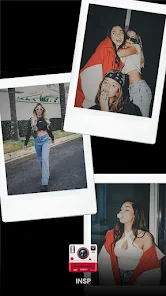
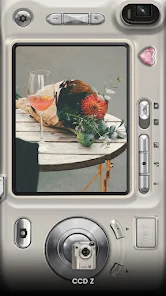
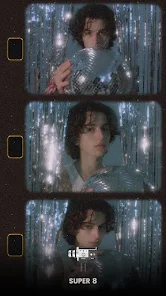
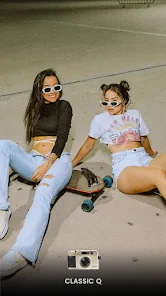
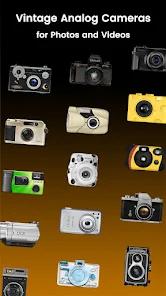
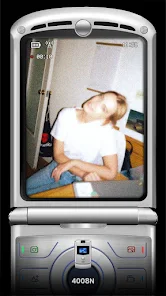
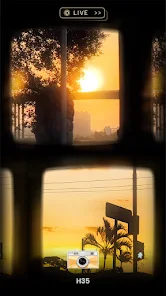
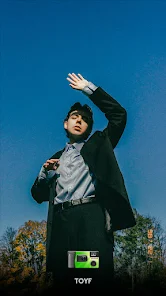
Information
- Category: Photography
- Price: free
- Age Rating: Teen
- Available on: /
- Developer: accordion
- Updated on: Jun 12, 2026
Pros 
-
 Capture stunning vintage vibes
 - Explore a variety of film styles
- Easy-to-use interface for all
- Share your creations instantly
- Enhance photos with unique filters
Cons 
-
 OldRoll may lack modern filters
 - Limited editing options available
- User interface feels outdated
- Performance can be sluggish
- Compatibility issues with devices
Get Installation Details  Google Play
  App Store
Google Play App Store User Reviews
(211K Reviews) M G2026/03/24
Amazing collection of cameras and ever growing! And a one time purchase fee which is getting rarer and 100% the way to go! However its 3 stars because, at least on my Samsung A21, it is VERY laggy and I often miss the shot or crash trying to take my picture and it takes forever to "load" another one. Its very frustrating cause it ruins an otherwise 6 star app!
- Mirko Maric2022/08/12
So far really enjoying the experience. Would love a feature that allows you to favorite certain cameras or organize them yourself. It's a bit tedious and annoying having to scroll through all the cameras and find the right one. Gonna hold off on buying the lifetime membership until something like that is added. Overall though a lot of fun and a lot of cool camera effects!
- Reyna Liebknecht2025/09/13
Exceptional! I love this app a lot! gives us access to many sort of "cameras" and filters. gives you that nostalgic, retro effects & you can even mess around with your own editing. the only problem i have is that sometimes if you're using the app after, maybe, 3-5 minutes of use, it'll start slowing down and lagging. so hopefully they fix this issue and make it smooth.
- Ninja Alpert2023/11/22
I love the filters. But it's so hard to use when you want to import pictures and apply filters to them. The preview screen doesn't preview filters so you can't compare different filters on the photo before saving it. You have to upload the photo, select camera, hit save and that's when you can finally see what the picture looks like with the filter on. Good contents, but bad userbility. Could you please improve the preview screen???? If that's fixed, its a really good app!!
- KK2021/07/31
Definitely what I've been looking for in a camera app. Coming from someone who loves Fuji Film and any disposable camera, this was so perfect. The light leaks could use some work and maybe a little more realism. They definitely should have a collage/ setup/ filter like they do in the instructional part with the film roll background for the pictures used as examples for each filter and other things during the tutorial. Overall, this is the app I've been looking for since PixArt. So it's good
Review Source: Google Play store public user reviews.
FAQ
Can I submit suggestions or feedback to OldRoll?
Yes, users can submit feedback and suggestions through the app's support section or website.
Does OldRoll - Vintage Film Camera collect my personal data?
OldRoll respects user privacy and does not collect personal data without consent.
Does OldRoll - Vintage Film Camera support offline use?
Yes, OldRoll can be used offline, allowing you to take photos without an internet connection.
How do I cancel my OldRoll subscription?
You can cancel your subscription through your device's app store settings before the next billing cycle.
How much does a subscription to OldRoll - Vintage Film Camera cost?
Subscription costs vary, but typically range from $2.99 to $9.99 per month, depending on the plan.
How to use OldRoll - Vintage Film Camera
How can I contact customer service for OldRoll?
You can reach our customer service via the app's support section or email us at support
How do I activate my OldRoll app?
To activate, download the app, open it, and follow the prompts to create an account. You will receive a confirmation email to complete the activation.
How do I log in to my OldRoll account?
To log in, open the app and enter your registered email and password. If you forgot your password, use the 'Forgot Password' link.
Is activation necessary for OldRoll?
Yes, activation is required. After downloading, follow the on-screen instructions to create an account and activate your app.
What is the customer number for OldRoll?
Our customer number is available in the app under the 'Help' section. Please refer to it for any inquiries.
What's New
- 【New Presets】Freely combine effects, apply with one tap, and save your custom presets.【General Optimization】Refined details across all features.
Similar Apps













You May Like

Falling Filter: Loop Me Effect
AI Master Lab
4.3

Hailuo Al: Image&Video Maker
MiniMax AI
4.3

Valentine's Day Photo Frame
Appwallet Technologies
4.4

Shots - AI Photo & Video Maker
DeePix AI Apps
4.4

Sexy girl video collection
Molayong
3.0

Momo - AI Photo Generator
ScaleUp
4.4

Massive Dev Chart Timer
Freestyle Photo & Imaging
4.1

Glam AI: Video & Photo Editor
Glam Labs, Inc.
4.6

Future Face - See Your Future
FutureDream Lab
4.4

Baby Month Photo Editor Frame
Ngendev Technolabs
4.6
AI Photo Editor - AI Enhancer
AlexadraJocely
4.7

Picta Photo Print - 1h Pickup
Pictarine - Printing Photos
4.8