
 Home
Home  Apps
Apps  Games
Games  Windows
  Terms of Service
  Cookies & Privacy Policy
  About us
Arch - AI Home Design

 4.4
4.4 1,000,000+ Downloads
2.15.3 Version

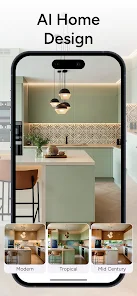

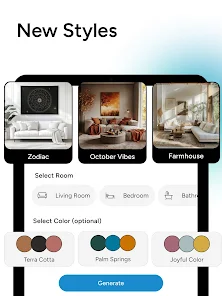
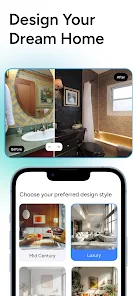
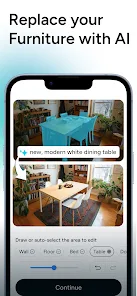
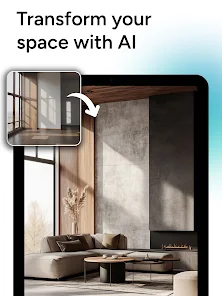
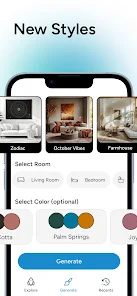
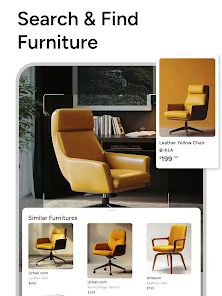
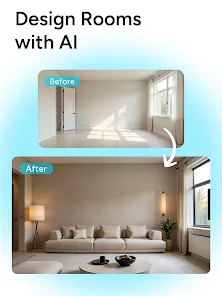
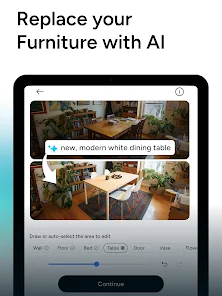
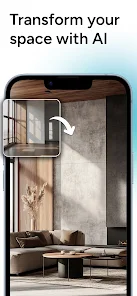

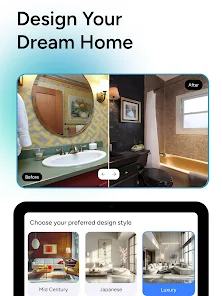
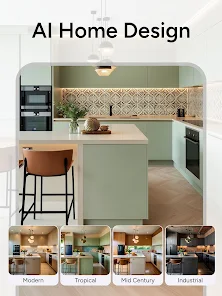
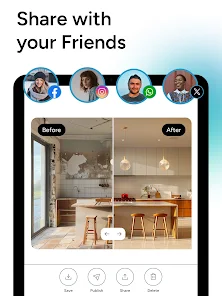
Information
- Category: Art & Design
- Price: free
- Age Rating: Everyone
- Available on: /
- Developer: APPNATION AS
- Updated on: Jun 30, 2026
Pros 
-
 Transform your space effortlessly
 - Intuitive design tools for all
- AI-driven suggestions for style
- Visualize in 3D with ease
- Save time and reduce costs
Cons 
-
 Limited customization options
 - Steep learning curve for users
- Occasional bugs and glitches
- Requires a strong internet connection
- Not suitable for large projects
Get Installation Details  Google Play
  App Store
Google Play App Store User Reviews
(35.5K Reviews) Alison Griffiths2026/02/15
I hate this app. I've had it for 20 minutes, tried to do multiple rooms and it's useless. It thought my refrigerator was a fireplace. No matter what color palette I chose, the walls were cream. If I selected the high structure preservation, it would still change every aspect of the room. there are not enough color palettes to choose from (where's dark academia? the hottest color pallete right now). a waste of $20 and 20 minutes.
- Nebojsa Arbutina2024/08/28
App has a lot of potential. But it's making unrealistic photos, to be honest, most of the time. From the other side, when it hits the target, it's great. It's missing a balcony as an option. I can't get that right all. And the gaming room never looks like a gaming room for me. It made an awesome kitchen design, and after I paid for the app, I couldn't achieve similar results...
- Renea Pomeroy2025/04/14
Buyer beware. There is no cancelation option through the app. I submitted a ticket before the weekend and responded to the automated email, but my subscription has not been canceled as of Monday at noon. The app is also not very customizable when you are attempting to generate ideas, especially for exterior renovation. It doesn't follow prompts, it places unwanted windows and doors in funky locations. It just wasn't helpful in the least bit.
- Marylu Perez2024/03/19
I have been trying to cancel my subscription for over a week and NO ONE is responding. It is NOT easy to "Cancel Any Time" they make you out in a request and then never bother to respond. I told them several times to cancel my subscription and they do not have permission to charge my card or permission to renew my subscription, and they did it anyway!!! The AI doesn't work properly anyway! It uses my door and turns them into closets. My windows turn into TVs and one room had 3sets of couches!
- Chris Murray2024/08/28
App is sort of useless. Image results seem like inspiration you can find through a Google search. No way to take a next step to actually make your space similar to the images by (for instance) linking you to decor, furniture or styles shown in the results. The results also seem off, in my trial of the app, windows and other items in the space not exactly like the pictures used. I spent $5 to find this out. App is pretty basic and I can't see anyone using this for any realistic design work.
Review Source: Google Play store public user reviews.
How to use Arch - AI Home Design
How can I contact customer service for the Arch - AI Home Design app?
You can reach customer service through the app's support section or by visiting our website for contact details.
How do I activate my Arch - AI Home Design app account?
To activate your account, click the activation link in the email you received after signing up.
How do I log in to the Arch - AI Home Design app?
Open the app and enter your registered email and password. If you forgot your password, use the 'Forgot Password' option.
Is activation necessary for the Arch - AI Home Design app?
Yes, activation is required. You can activate your account via the link sent to your email after registration.
What is the customer number for Arch - AI Home Design app support?
The customer support number is available in the app under the 'Help' section or on our official website.
What's New
- Discover new styles and enjoy a better experience than ever before.
Similar Apps















You May Like

Learn how to draw - ArtWorkout
ArtWorkout
4.4

SketchPad
Kaffeine Software
4.3

PixAI: AI Anime Art Generator
Mewtant Inc.
4.4

OneUI Fluffy Glass Icons
AppixoStudio
5.0

Nano Banana Pro - NanaAI
DavinciAi Pte. Ltd.
2.7

Movcl: AI Video Creator
Movcl Ltd.
3.0

Liquid Glass 26 Icon Pack
AppixoStudio
3.8
Cartoon OC Maker
Anfona Tech
3.2

Brother Artspira
Brother Industries, Ltd.
3.9

AR Trace Art & Sketch
LeafMotion Software
4.7

AmberPaint - Motion Brush
ALRESPOL
4.0
AI GPT Generator-Text to Video
AI Tech Labs
3.4