
 Home
Home  Apps
Apps  Games
Games  Windows
  Terms of Service
  Cookies & Privacy Policy
  About us
Melody Scanner

 3.4
3.4 500,000+ Downloads
3.0.1 Version
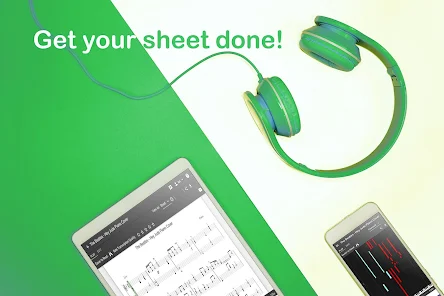
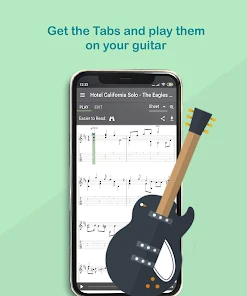
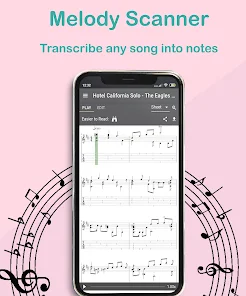
Information
- Category: Music & Audio
- Price: free
- Age Rating: Everyone
- Available on: /
- Developer: Klangio GmbH
- Updated on: Dec 1, 2025
Pros 
-
 Discover your favorite songs
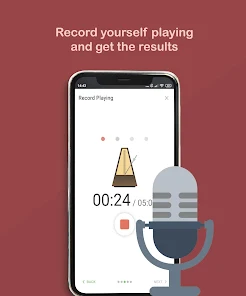
 - Easily transcribe music notes
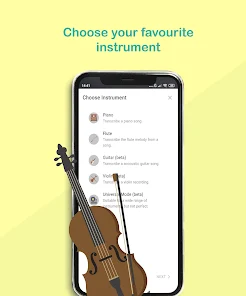
- Supports multiple instruments
- User-friendly interface design
- Share your creations with friends
Cons 
-
 Limited instrument support
 - Accuracy can vary widely
- User interface may confuse
- Requires internet for use
- Subscription can be pricey
Get Installation Details  Google Play
  App Store
Google Play App Store User Reviews
(3.4K Reviews) Artrath962025/02/04
App is not great. It really can't pick out the music if it's got more than a couple things going, so you get an unpleasant mishmash of notes. The reason I give it 2 stars is because at least the chords seem accurate, so if you have a decent ear and a bit of musical skill you can adjust on the fly. But it doesn't really do what it purports to do. Wish there was a free trial so I could have known before wasting the money.
- Emerson José2025/10/20
needs get better at charting the notes that are played, but I guess that it still does their work, kind of...at least better than others, but can be a lot better. for nowadays to my understanding one of the best apps for now, but if they just stay in the comfort zone they can easily get taken a huge spot of "The best" for now... and make it forever as a "was good".Not even when I had the premium was good really, most of the recordings I wanted this to chart wasn't possible, because the app can't
- James Veith2021/11/02
This was overall an interesting experience, but definitely didn't live up to expectations. Able to do multiple instruments at once? Nope. The time limit being only one minute is definitely not helpful at all, especially when I want to have my band play a song play a three and a half minute song. Definitely disappointing, but it does do some of what is advertised.
- Cafe Okay!2024/01/30
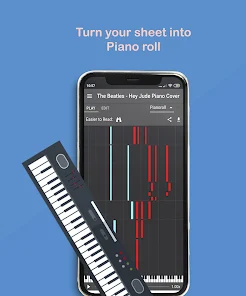
I generally appreciate the UI and the ability to convert any YouTube song into piano notes. However, this is my negative review/experience. I encountered a bug that affected how I utilized the app when reopening the app. When playing the song, the notes are substantially slower, and there is an odd sound space between notes at 1.0x to 1.50x the speed before. I wish it could be improved. Also unrelated, I wish there was 1.25x speed. Thank you.
- A Google user2019/11/12
This is like Christmas. Is it perfect? No, but for "perfect" you could pay an online service ~$100 for one song. This is a great start to figuring out some of your favorites on piano, and it's quick turnaround. I'm really happy with it. Y'all can complain about $5 all you want, I'm just thrilled to get help on songs I've listened to and loved for years.
Review Source: Google Play store public user reviews.
How to use Melody Scanner
How can I contact customer service for the Melody Scanner app?
You can contact customer service through the app's support section or visit their official website for assistance.
How do I activate my Melody Scanner subscription?
To activate your subscription, log in to your account and follow the prompts to enter your payment information and confirm the subscription.
How do I log in to my Melody Scanner account?
Open the app, tap on the login option, and enter your registered email and password.
What is the customer number for Melody Scanner?
The customer number is typically found in the app's settings or on the official website under contact information.
What's New
- Minor stability improvements.
Similar Apps















You May Like

MeloLoop-Music Player&Offline
JIMMY SMALL.inc VIDEOSTORY
4.1

Volume control - Edge button
samiadom

VoClone AI
Mobover
3.9

Video Voice Editor + Effects
Firehawk
4.5

SonicNest — Music Player
YIXIANG
3.8

Rythmix: AI Music & Song Maker
PROMINENT FORTUNE PTE. LTD.
3.9

Music Player Plus
Leopard V7
4.6

ClipTone : AI Ringtones Maker
sTemify

Audio Insight - Offline Music
Photos & Videos Download Tools
4.0

PlayScore2 needs hi-end camera
PlayScore
3.7

MD Vinyl - Music Player Widget
Miidii Tech
4.5

Sheet Music Scanner Pro
Remusician
2.1