
 Home
Home  Apps
Apps  Games
Games  Windows
  Terms of Service
  Cookies & Privacy Policy
  About us
Noteshelf 3: Digital Notes

 4.1
4.1 1,000,000+ Downloads
4.0.4 Version
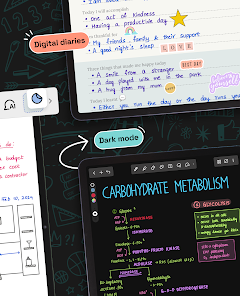
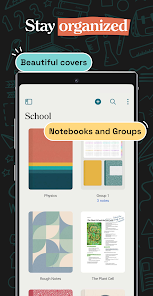
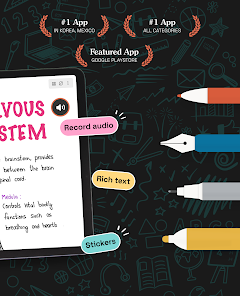
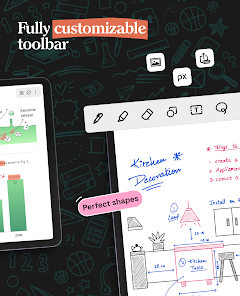
Information
- Category: Productivity
- Price: free
- Age Rating: Everyone
- Available on: /
- Developer: Fluid Touch
- Updated on: Jul 1, 2026
Pros 
-
 Noteshelf 3 offers seamless syncing
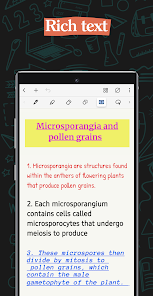
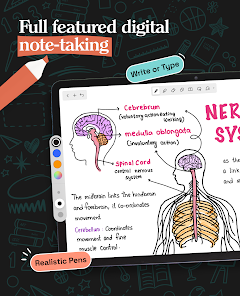
 - Enjoy a smooth writing experience
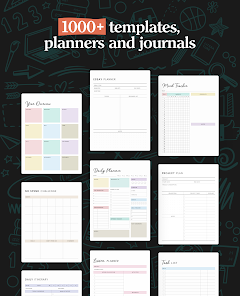
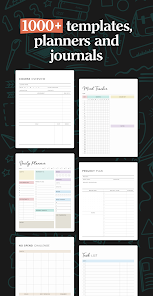
- Customizable templates for all
- Effortless organization of notes
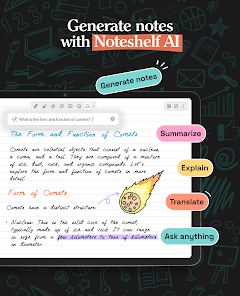
- Handwriting recognition for ease
Cons 
-
 Limited export options available
 - Syncing issues with devices
- Steep learning curve for new users
- Occasional app crashes reported
- No built-in collaboration tools
Get Installation Details  Google Play
  App Store
Google Play App Store User Reviews
(13.8K Reviews) Katarina Smith2026/06/16
It's a good app to use for my school notes, I like that I can create folders for organization and change the cover of my notebooks for personalization. I only wish there was a full screen mode so that there was less interference with my device when using my stylus (needing to press ESC to exit, for example). Otherwise it's been great.
- Virginia de Souza2026/04/29
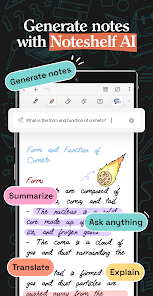
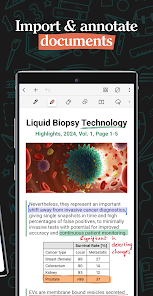
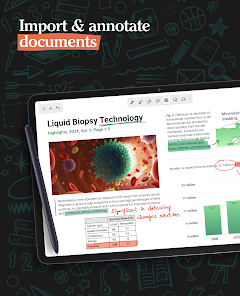
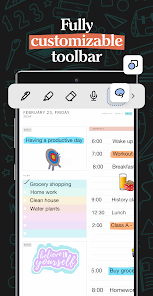
I’ve been using Noteshelf 3 (Fluid Touch) on Android for work notes and quick personal lists, and it feels smooth so far. The stylus handwriting tools are easy to use, and switching between pens, highlighters, templates, and shapes doesn’t feel cluttered. PDF import and markup worked well, and the Google Drive backup option is useful. Overall, it’s a solid app for keeping handwritten notes organized digitally. Its integrated well with my Samsung, no problems as of yet.
- Tm7_flame2026/03/23
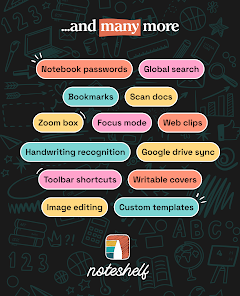
I like this app because it has a notebook guide on how to properly use the app, I like that I can lock the notes with a password. It more secure and safe. Plus, I can be creative and draw, unlike some apps, just to write. But what I don't like is that I can't use the app with my stylus (maybe not your fault, but still) ; and for some reason when I zoom in, I can't go fully to the left. But despite everything, it's a good app Thanks 👍
- Fields2026/03/10
I want to like it. the design is nice and the tools work reasonably well. I can't try most of the features without upgrading, so I don't even know how they function without paying upfront. the free notes I've made work okay, but only okay. text recognition is really weird; you need to select the handwriting and hope it can recognize it. the website says it can sync with Google drive but doesn't mention caldav, but the app page does say caldav is supported. which one is true? we'll never know.
- Hypatia of the Luminiferous Ether2026/02/08
It has a zoom box, and I want to love it for that reason, but it also has a very annoying and distracting animation on the home screen (WHY????) and there is no way to batch-export files as PDF; I have to either export them one by one or export them in the .nsa format, which is useless for anything except Noteshelf.
Review Source: Google Play store public user reviews.
FAQ
Can I submit suggestions or feedback to Noteshelf 3?
Yes, users can submit feedback and suggestions through the app's support or contact features.
Does Noteshelf 3 collect my personal data?
Noteshelf 3 prioritizes user privacy and does not collect personal data without consent.
Does Noteshelf 3 support offline use?
Yes, Noteshelf 3 allows users to create and access notes offline without an internet connection.
How do I cancel my Noteshelf 3 subscription?
To cancel, go to your device's settings, find subscriptions, and follow the prompts to cancel.
How much does a subscription to Noteshelf 3 cost?
Noteshelf 3 typically has a one-time purchase price, but check the app for any subscription options or updates.
How to use Noteshelf 3: Digital Notes
Can I reset my password for Noteshelf 3?
Yes, use the "Forgot Password" option on the login screen to reset your password.
How can I contact customer service for Noteshelf 3?
You can reach customer service through the app's support section or visit their official website for contact details.
How do I activate Noteshelf 3 after purchase?
After downloading, open the app, and follow the on-screen instructions to activate using your app store account.
How do I log in to my Noteshelf 3 account?
Open the app, tap on the profile icon, and enter your credentials to log in.
How do I report a bug in Noteshelf 3?
You can report bugs through the app's support feature or by emailing their customer support team.
What's New
- - You can now draw dashed and dotted lines with the Pen tool! Find the option inside the pen mini toolbar.- The Pen tool now supports curved lines!- New shapes like Star, Rounded Rectangle, and Heart are now added in the Shapes tool.- Minor bug fixes and performance improvements~ Noteshelf—Take beautiful notes, effortlessly ~
Similar Apps












You May Like

Microsoft Word App
Microsoft Corporation
4.8
Microsoft Word: Edit Documents
Microsoft Corporation
4.8

Microsoft Teams
Microsoft Corporation
4.7
Google Calendar
Google LLC
4.6
PDF Viewer Easy
XuanLong Studio
MiraClean - File Manager
NOVAGE DEV
3.7
HAwake - Voice Assist for HA
IT-BAER
All Documents: PDF Reader
Vu Developer
Focus To-Do: Pomodoro & Tasks
Pomodoro Timer & To Do List - SuperElement Soft
4.6
QuillBot: AI Writing Assistant
QuillBot
3.8
Planet Free VPN ™ Super Proxy
Free VPN Planet
4.6

NWS Mobile
New World Publisher
4.9