
 Home
Home  Apps
Apps  Games
Games  Windows
  Terms of Service
  Cookies & Privacy Policy
  About us
QuillBot: AI Writing Assistant

 3.8
3.8 5,000,000+ Downloads
3.14.0 Version
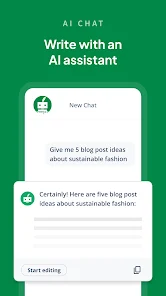
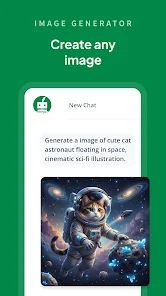
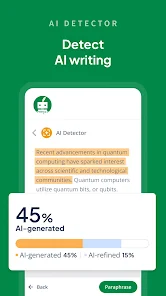
Information
- Category: Productivity
- Price: free
- Age Rating: Everyone
- Available on: /
- Developer: QuillBot
- Updated on: Jul 1, 2026
Pros 
-
 QuillBot enhances your writing!
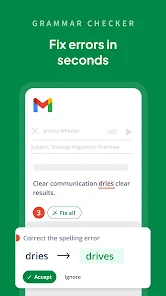
 - It offers seamless grammar checks!
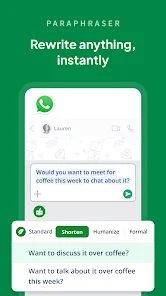
- Paraphrasing made easy and quick!
- Boosts vocabulary with synonyms!
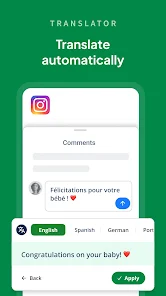
- Supports multiple languages for all!
Cons 
-
 Limited free features available
 - Occasional inaccuracies in text
- Dependence on internet access
- Subscription costs can add up
- Not suitable for all writing styles
Get Installation Details  Google Play
  App Store
Google Play App Store User Reviews
(20.9K Reviews) George Solorio2026/06/17
Very useful if you text or send a lot of messages on your phone to people whom you need to sound professional to. They also have this app as an extension for your browser, and that thing is such a lifesaver for charting. It has its glitches here and there, but so far it's the best grammar corrector out there for both phone and PC at this moment in time. (All typos and grammar corrected with the tap of the widget icon)
- Pro Xavier Powell2026/05/16

This is just a basic sentient app. I would love it if you could just move the icon into a different spot and not have it down in the right corner, but the way I'm in right now would be ok to move it too in different rotations; that's all. This is very good. No bug or anything. And it DOES make sure all grammar is perfect. Can you also remove the ";" it's adding in every sentence I say? It's a bit weird.
- Charles Bryant2026/04/12
The app is amazing. It's pretty cool to use the keyboard as well; however, the keyboard could use some updates, like having the ability to remove a learned word and have the word actually go away. Additionally, the keyboard can obstruct the view in some apps, preventing you from seeing what you are typing. One positive is having the ability to generate a better sentence. After a long day, when your brain is tired, you just type in your idea, and it corrects and gives options.
- Paul Traeder2026/06/02
QuillBot is one of the most annoying writing apps I've ever used. Unless you pay for the premium subscription, it constantly gets in the way of editing your own work. I'm old school and use two spaces at the end of a sentence. Instead of respecting personal writing preferences, the app flags every single one as a grammar error, filling my document, emails and DM's with pointless corrections. The result is a cluttered, distracting experience that slows down writing rather than improving it.
- Stephen Doughtie2025/01/31
Your keyboard keys are tall and narrow, making it twice as hard to not make typos, regularly. The keys on the side have to be found by my thumb two or three times, before I engage it. Therefore I uninstalled it, and went went back to other one. This app is not an improvement. I am 6ft10 inches tall and 300 lbs. I cannot access most apps because my thumbs are too big, so I have to just deal with not being able to type. I guess having a phone nowadays to call....is a thing of past.
Review Source: Google Play store public user reviews.
How to use QuillBot: AI Writing Assistant
How can I contact QuillBot's customer service?
You can reach QuillBot's customer service through their support page on the website or by emailing support
How do I activate my QuillBot subscription?
After purchasing a subscription, log in to your account, and your subscription will be activated automatically.
How do I log in to my QuillBot account?
To log in, visit the QuillBot website and click on the "Log In" button, then enter your email and password.
What is the customer number for QuillBot?
QuillBot does not publicly list a customer number; please use their support page for assistance.
What's New
- ✨📱 A Smoother QuillBot Experience Awaits!We've made a series of improvements to help you write with less friction and more confidence.🎨 Refreshed branding with an updated look and feel🔍 AI-generated text is now highlighted for easier review and analysis⚡️ A smoother, more responsive Android Assistant widget🎯 Better widget placement and visibility—showing up only when you need itUpdate now for a cleaner, smarter, and more seamless QuillBot experience. 🚀✨
Similar Apps













You May Like

Microsoft Word App
Microsoft Corporation
4.8
Microsoft Word: Edit Documents
Microsoft Corporation
4.8

Microsoft Teams
Microsoft Corporation
4.7
Google Calendar
Google LLC
4.6
PDF Viewer Easy
XuanLong Studio
MiraClean - File Manager
NOVAGE DEV
3.7
HAwake - Voice Assist for HA
IT-BAER
All Documents: PDF Reader
Vu Developer
Focus To-Do: Pomodoro & Tasks
Pomodoro Timer & To Do List - SuperElement Soft
4.6

Planet Free VPN ™ Super Proxy
Free VPN Planet
4.6

NWS Mobile
New World Publisher
4.9

Yoti - your digital identity
Yoti
4.4