
 Home
Home  Apps
Apps  Games
Games  Windows
  Terms of Service
  Cookies & Privacy Policy
  About us
Yoti - your digital identity

 4.4
4.4 10,000,000+ Downloads
3.74.0 Version
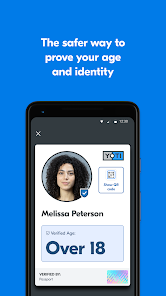
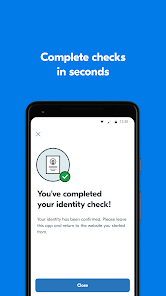
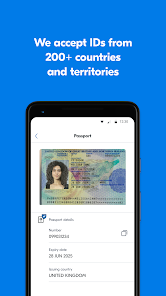
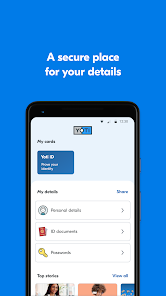
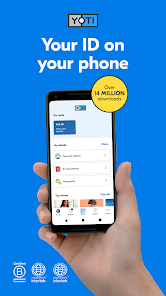
Information
- Category: Productivity
- Price: free
- Age Rating: Everyone
- Available on: /
- Developer: Yoti
- Updated on: Jun 11, 2026
Pros 
-
 Yoti simplifies identity checks
 - Securely store personal data
- Share info with a tap
- Age verification made easy
- Privacy-first approach always
Cons 
-
 Limited global acceptance
 - Requires smartphone access
- Privacy concerns with data
- Potential for technical issues
- User interface can be complex
Get Installation Details  Google Play
  App Store
Google Play App Store User Reviews
(44.3K Reviews) Michael B2025/01/05
This app barely works. I can't get the scanner to actually scan a QR code. When I scan that code with Google Lens instead and click on the link, the app opens up and then gives me an error when I try to submit the information. Not much use for a digital ID app that refuses to do the one thing I need it to do.
- 1000 Names2026/06/15
It can estimate age (SORT OF...) but the app interface for photos is junk. it automatically applies flash no matter what my phone's camera settings are so license info gets drowned out or it auto snaps while out of focus. The frame for your personal photo is modeled after what I assume is Anime Anatomy. And whatever automated system they use to compare license photos doesn't take Aging or Weight Loss into account. My Lic photo is 6 years old... A LOT can change in 6 years!
- Erick Henrique2026/06/06
worst verification app I have ever used. Limited in options when it comes to documents, the Age estimation WILL misidentify you if you don't "look" old (which doesn't help if you are a young adult like me), and ultimately, you are better off giving up than wasting your time. Also, in my country at least, the site and the app are inconsistent with the documents they ask, while the site gives you far more document options, the app doesn't.
- Peter Bray2026/04/02
One of the most infuriating experiences I've ever had as a user. I have a flagship smartphone camera. I've tried this over 15 times in the last five minutes. It doesn't let you control the shutter. So it constantly takes pictures before the camera is in focus, or before you're in frame. So you have to position it meticulously before you're ready to go. If you do get a super clear, well-lit image, it says "no face detected". You get two attempts then it times your session out. Horrendous app.
- Andrew Longland-Meech2026/03/24
This app cannot be used to verify your identity if you have a hyphen in your surname (is the same true with apostrophes?) as it removes the hyphen and then, obviously the name will not match the data held by the other system. This is such a basic data validation error that I'm surprised it made it through beta testing! I've given it 2 stars, because apart from that, it's easy to use.
Review Source: Google Play store public user reviews.
FAQ
Can I submit suggestions or feedback to Yoti?
Yes, Yoti encourages users to submit feedback and suggestions through their support channels.
Does Yoti collect my personal data?
Yoti collects minimal personal data necessary for identity verification, and it prioritizes user privacy and security.
Does Yoti support offline use?
Yes, Yoti allows some features to be used offline, but internet access is required for full functionality.
How do I cancel my Yoti subscription?
You can cancel your Yoti subscription through the app settings or your account management page.
How much does a subscription to Yoti cost?
Yoti offers a free version, and premium features may have associated costs, which can vary.
How to use Yoti - your digital identity
How can I contact Yoti customer service?
You can contact Yoti customer service through the app or their website. Look for the 'Help' or 'Contact Us' section for assistance.
How do I activate my Yoti account?
After downloading the app, follow the on-screen instructions to create and verify your account. You may need to provide identification.
How do I log in to my Yoti account?
Open the Yoti app, enter your email or phone number, and follow the prompts to log in.
What is the customer number for Yoti?
Yoti does not publicly list a customer number; support is primarily through the app or website.
What's New
- Automated publication for build 5416
Similar Apps













You May Like

Microsoft Word App
Microsoft Corporation
4.8
Microsoft Word: Edit Documents
Microsoft Corporation
4.8

Microsoft Teams
Microsoft Corporation
4.7
Google Calendar
Google LLC
4.6

PDF Viewer Easy
XuanLong Studio

MiraClean - File Manager
NOVAGE DEV
3.7

HAwake - Voice Assist for HA
IT-BAER

All Documents: PDF Reader
Vu Developer

Focus To-Do: Pomodoro & Tasks
Pomodoro Timer & To Do List - SuperElement Soft
4.6

QuillBot: AI Writing Assistant
QuillBot
3.8

Planet Free VPN ™ Super Proxy
Free VPN Planet
4.6

NWS Mobile
New World Publisher
4.9