
 Home
Home  Apps
Apps  Games
Games  Windows
  Terms of Service
  Cookies & Privacy Policy
  About us
Saily: Travel eSIM & Data

 4.7
4.7 1,000,000+ Downloads
3.32.1 Version
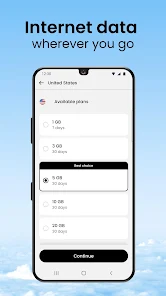
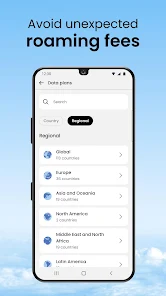
Information
- Category: Travel & Local
- Price: free
- Age Rating: Everyone
- Available on: /
- Developer: Nord Security
- Updated on: Jul 1, 2026
Pros 
-
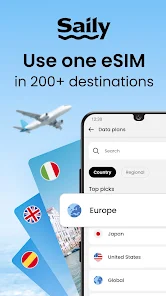
 Saily: Travel eSIM & Data app offers seamless connectivity for travelers.
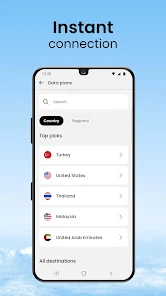
 - Enjoy instant data access worldwide.
- No physical SIM card needed.
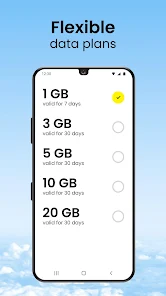
- Flexible plans for every trip.
- Easy activation in just minutes.
- Save on roaming fees effortlessly.
Cons 
-
 Saily may have limited coverage
 - Data speeds can be inconsistent
- User interface can be confusing
- Customer support may be slow
- Pricing can be higher than rivals
Get Installation Details  Google Play
  App Store
Google Play App Store User Reviews
(90.4K Reviews) Digitalcurry2026/06/10
Saily is horrible. I spend most of my time troubleshooting rather than using the service. When it does connect, speeds are slow and unreliable. I bought mobile data, not a part-time job in tech support. The most frustrating part is that the service failed while I was staying outside a major city. Because I couldn't get the connection working reliably, I have effectively been without internet access. My only option is to travel several hours to Guayaquil and buy new service.
- jsho5742026/06/20
To say my experience with Saily is disappointing would be an understatement. I traveled to the UK and stayed in major cities. Never once did my phone sniff 5G, it was always on LTE. I understand 5G is not guaranteed, but to not even sniff it once is strange. Next, the automatic connect wouldn't work. So I had to manually connect it to a service. And then if it dropped service just a bit, I would have to manually reconnect. I have a pixel 6a, so maybe it has to do with phone type.
- Steve2026/04/09
For most people, unless you travel a lot for work, the majority of your data comes from free wifi connections. Yet, people still pay for expensive unlimited cell phone plans. Don't do that. Actually look at the source of your data. Combined with Google Voice, this service has essentially become my cell phone plan. I only need a little bit of data to fill in the gaps when I'm not connected to wifi. So my whole cell phone bill is $8/month and I have had no drop in quality of service.
- Jarek Polak2026/06/05
doesn't provide a phone number, can't get a refund, should really state this in the purchase process that it's data only... response was that this info is provided, absolutely not true. download the app and select add Sim, no where does it say this in the process. just because it's written in a webpage you can easily skip doesn't mean it's informed. don't appreciate this kind of "you should have read the fine print" type of tricks.
- Stuart Gilbert2026/04/01
36 hours of waiting while the customer service folks told me the transaction was pending. Transaction was complete on my bank's side. No help whatsoever, and the suggested resolution was to buy the product again and reinstall the app, like I'm going to double my loss, or installing an app makes a credit card transaction go through. Buyer beware.
Review Source: Google Play store public user reviews.
How to use Saily: Travel eSIM & Data
How can I contact customer service for Saily?
You can reach Saily's customer service through the app's support section or by emailing support
How do I activate my Saily eSIM?
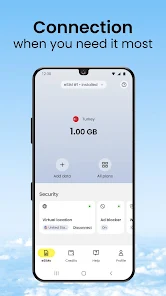
After purchasing, follow the instructions in the app to scan the QR code or manually enter the details in your device's settings.
How do I log in to the Saily app?
Open the app and enter your registered email and password. If you forgot your password, use the "Forgot Password" option.
What is the customer number for Saily?
Saily does not have a specific customer number; please use the in-app support or email for assistance.
What's New
- We packed a few improvements for the journey ahead. Bon voyage.
Similar Apps














You May Like

Upside: Cash Back - Gas & Food
Upside Services Inc.
4.6
Upside-Cash back on gas & food
Upside Services Inc.
4.6

Vrbo Vacation Rentals
Vrbo
4.8

GasBuddy
GasBuddy
3.8

Viator
Viator
4.9

Royal Caribbean International
Royal Caribbean Cruises Ltd.
4.6

World Clock Widget 2025 Pro
Tomas Hubalek
4.7

WDSU Parade Tracker
HTVMA Solutions, Inc.
3.7

Wanderboat: Local Guide
UTA AI Inc.
4.4

Parade Pal: Parade Tracker
ParadePal
3.7

Otaghak
Otaghak Group
4.2

JetBack: Airfare Price Credits
JetBack – Get Airline Credits when Airfare Drops
4.1