
 Home
Home  Apps
Apps  Games
Games  Windows
  Terms of Service
  Cookies & Privacy Policy
  About us
AutoZen-Car Dashboard&Launcher

 4.1
4.1 1,000,000+ Downloads
7.1.3 Version
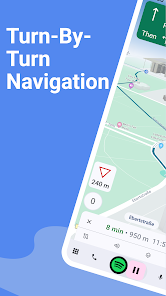
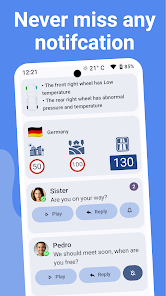
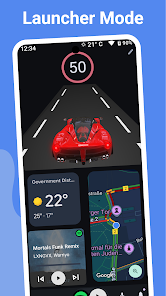
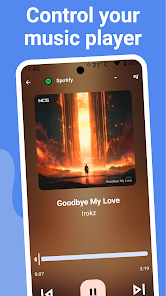
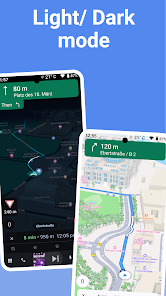
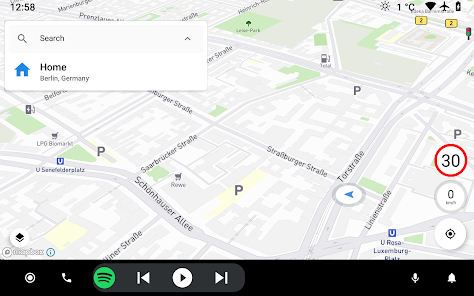
Information
- Category: Auto & Vehicles
- Price: free
- Age Rating: Everyone
- Available on: /
- Developer: ZenThek
- Updated on: Jun 3, 2026
Pros 
-
 Experience seamless navigation
 - Access your favorite apps easily
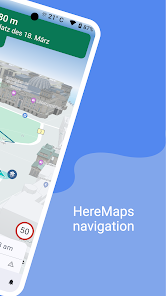
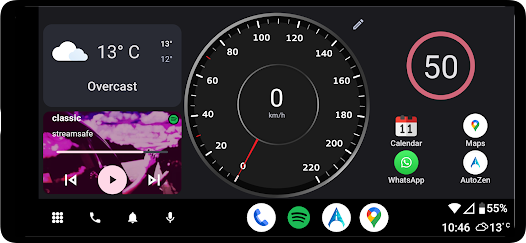
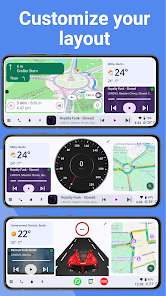
- Customize your dashboard layout
- Enjoy hands-free voice control
- Stay connected with notifications
Cons 
-
 AutoZen-Car Dashboard&Launcher app has some drawbacks to consider.
 - Limited customization options available.
- User interface can feel cluttered.
- May drain battery quickly during use.
- Compatibility issues with some devices.
- Voice commands can be unreliable.
Get Installation Details  Google Play
  App Store
Google Play App Store User Reviews
(5.85K Reviews) baticeer2026/04/22
It seems functional but there is some definite jank to it. The UI does not look good on my phone's screen (I have a Pixel 8a, it's not some unusually shaped phone) b/c various bits of the widgets (including important things like my phone battery percentage) are cut off by the phone's rounded corners or blocked by my camera cutout. Never seen another app do this. Also, I thought I would be able to add ANY widget to the custom screen but it's limited to only a small selection. Probably won't use.
- Dean Fields (Hiking With Dean)2024/02/28
You have to get the Premium version for in app Navigation. For nav the app uses Mapbox. Fortunately you get a 7-day trial to check out all features before paying. Don't bother with the free version, especially if you a are looking for an Android Auto alternative. I've been using Android Auto for years and just purchased a car that does not have it. Although the premium version works as advertised I find it a lackluster alternative. Mapbox has its weaknesses compared to Google Maps
- Thomas Gordon2023/10/30
Paid for the full version because YES it is that good! BUT, the maps seems to be too zoomed in while driving and the arrow icon is a little 'blurry'. I just wish you could set the zoom on the map while still being centered, or it automatically zoom in and out based on the speed you are going (like the maps in other launchers). Music integration is fantastic and the customization is something I haven't seen in other dashboard/launchers. Thanks for the awesome work, can't wait for the next update!
- James Hrenak2022/06/06
A great option for the car. Has a lot of potential and does some things better than Android Auto did. I will be leaving to something else and coming back at a later time though due to a few things. Like I am not a fan of Mapbox (HERE would be better I think), there are too many events that take you out of the app ruining the automated experience, and battery life seems harsher. It has a lot of potential though so I paid for Premium to support the dev and I will be back!
- brian austreng2023/10/03
I love this app. It is a great alternative to not having a touch screen in the car. The fact that I can switch music apps and my favorite radio stations with the touch of my screen all while having the maps still going. I really like the fact that it starts up as soon as I connect to my Bluetooth device connected to my radio, which is just connected through the auxiliary cable. The only issue which is very minor your actual speed limit does not change colors if it's over the posted limit.
Review Source: Google Play store public user reviews.
How to use AutoZen-Car Dashboard&Launcher
How can I contact customer service for AutoZen?
You can reach customer service by emailing support
How do I log in to the AutoZen app?
Open the app, enter your registered email and password, then tap 'Log In'.
Is there an activation process for AutoZen?
Yes, after downloading, you need to create an account and verify your email to activate the app.
What is the customer number for AutoZen support?
The customer number for AutoZen support is 1-800-555-0199.
What's New
- New:speed limits fixedBugfixes, speedometer working on Nav, sunrise/sunset theme, UI improvements* Change Driving avatar in the map for a selected car* Improved System widgets not loading/displayedMAJOR UPDATE: A New Customizable Launcher!Experience a driving experience with our completely redesigned launcher* Enhanced Performance* Drag-and-drop widget customization* Native Android widget support + built-in widgets* Adaptive layouts to perfectly fit any screenUpdate now!
Similar Apps












You May Like

CarGurus
CarGurus, Inc
4.7

Shell: Fuel, Charge & More
Shell Information Technology International B.V.
3.5
Driving Instructor-Theory Test
Naz Digital
4.6
Fuel Forward
Phillips 66 Mobility
4.5

Talenelectric
深圳市天能健电气技术有限公司

Sentry Pro—Tesla Notifications
Sentry Brain S.M.P.C.
4.4

Redtiger Cam
REDTIGER TECH, INC.
2.5
OBD2 Car Scanner: Torque ELM
MONIQ TAP., CO LTD
3.9
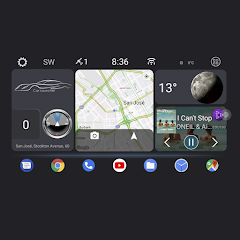
CL Theme Card
Apps LabDev
Car Play Connect for Android
LeoStudio Global Ltd.
4.4
BimmerLink for BMW and MINI
SG Software GmbH & Co. KG
4.3
BikeWale- Bikes & Two Wheelers
CARTRADE TECH LTD
4.6