
 Home
Home  Apps
Apps  Games
Games  Windows
  Terms of Service
  Cookies & Privacy Policy
  About us
Home Assistant

 4.6
4.6 / Downloads
45581 Version
Information
- Category: House & Home
- Price: 0
- Age Rating: Everyone
- Available on: /
- Developer: Home Assistant
- Updated on: Jun 22, 2026
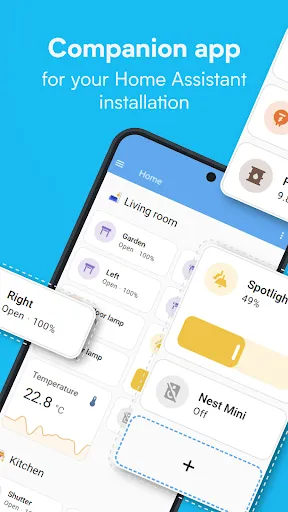
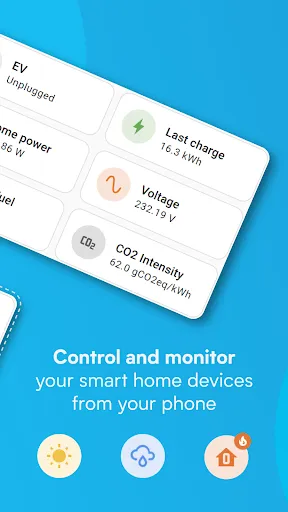
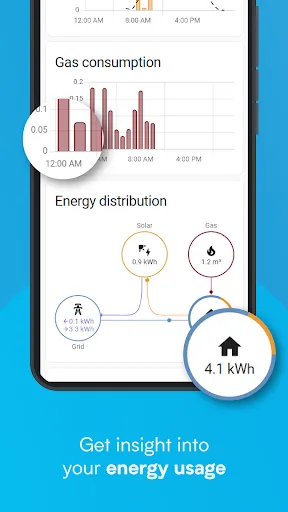
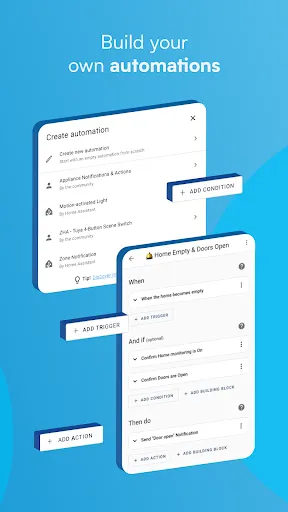
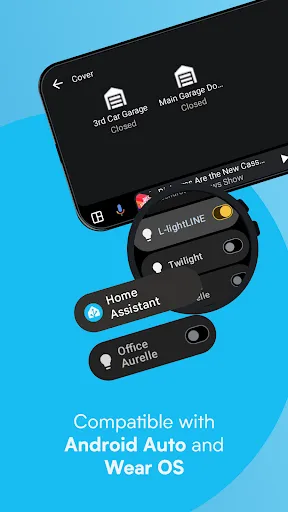
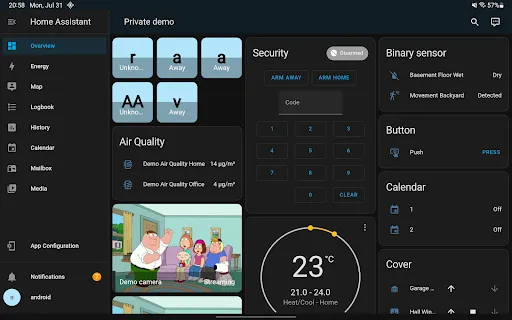
Home Assistant is an open-source home automation platform that puts local control and privacy first. It allows users to automate and manage smart devices from various manufacturers through a single, user-friendly interface. With Home Assistant, you can create custom automations, monitor energy usage, and receive notifications based on your preferences. The platform supports thousands of integrations, enabling seamless connectivity with devices like lights, thermostats, cameras, and more. Users can access their smart home system remotely via a web interface or mobile app, ensuring control from anywhere. Home Assistant also offers advanced features like voice commands, geofencing, and scripting, making it a powerful tool for both beginners and advanced users. Whether you're looking to enhance convenience, security, or energy efficiency, Home Assistant provides the flexibility to tailor your smart home experience to your unique needs.
Features & Highlights
Home Assistant is a powerful platform designed to help you control your smart home devices from a single interface. With its robust feature set, it offers numerous ways to enhance your daily life. Here are some standout features:
Real Experience Using Home Assistant
Application Scenarios
Using Home Assistant has transformed how I interact with my home. One of my favorite scenarios involves my morning routine. Each day, I wake up to a gentle increase in the brightness of my smart lights, which helps me wake up gradually. As I get out of bed, my coffee maker starts brewing, thanks to a carefully crafted automation that I set up in the app. Additionally, when I leave for work, the system automatically locks the doors and adjusts the thermostat to save energy while I'm away. This level of integration has made my life significantly easier and more efficient.
User Experience
The UI/UX of Home Assistant is something I truly appreciate. The initial setup may seem daunting, especially for those not well-versed in technology, but once you get the hang of it, it’s quite intuitive. The dashboard is clean and customizable, allowing me to pick and choose which devices I want to see at a glance. Navigating through various menus feels smooth, and the performance is generally reliable. Rarely do I encounter lag, and when I do, it’s often due to an issue with the device itself rather than Home Assistant. Overall, my experience has been overwhelmingly positive; it feels like I have a personal assistant dedicated to managing my home.
Pricing
Home Assistant is completely free to use, which is a fantastic advantage for anyone looking to dive into smart home management without breaking the bank. While there are some optional paid services, such as cloud access for remote control, the core functionalities are robust and entirely accessible without a subscription. This pricing model makes it an attractive option for budget-conscious users who still want a fully-featured smart home experience.
Updates & Support
One of the biggest advantages of Home Assistant is the active and vibrant community surrounding it. Regular updates are rolled out to introduce new features, fix bugs, and enhance performance. The support is also commendable; I’ve often found answers to my questions in the community forums or through the extensive documentation available on their official website. This kind of support is crucial, especially for users who may encounter challenges during setup or while configuring their devices.
Security & Privacy Review
As an American user, security and privacy are always top of mind, especially when using smart home technology. Home Assistant can be downloaded from official sources like the App Store or Google Play, ensuring a safe installation process. Unlike many smart home solutions, Home Assistant requires minimal personal data for registration. You can use it without providing any more information than necessary, which is a huge plus in today’s data-driven world.
Additionally, I appreciate that Home Assistant does not bombard me with ads or engage in intrusive tracking behaviors. The app is designed to run locally, meaning your data remains within your home network unless you choose to share it externally. This commitment to privacy makes Home Assistant a standout choice for users who are serious about maintaining control over their personal information.
In conclusion, Home Assistant has proven to be an invaluable tool in my home. With its extensive features, user-friendly interface, and strong focus on privacy, it empowers me to create a smart home tailored to my lifestyle. If you're looking to enhance your living space with smart technology, I highly recommend giving Home Assistant a try.
Pros 
-
 Seamless integration with various smart devices
 - Customizable automation to fit your lifestyle
- User-friendly interface for easy control
- Robust community support for troubleshooting
- Privacy-focused, keeping data local and secure
Cons 
-
 Steep learning curve for beginners
 - Limited official support and documentation
- Compatibility issues with some devices
- Frequent updates may introduce new bugs
Get Installation Details  Google Play
  App Store
Google Play App Store User Reviews
(13.1K Reviews) Stu S2026/06/19
I'm specifically reviewing the apps (in)ability to connect to the hostname which I pay Home Assistant monthly to maintain connectivity to. As with others - from the web ui it connects fine, but connecting from the app (without which it is useless) is a slow motion train wreck that is only getting worse over time. Everything else (ironically, the free bits) works great!
- Joseph Ball2026/05/30
Works great. I'm using Home Assistant on my Linux home server. The app and application have had no issues beyond the bit of difficulty setting up certain services, but that boils down to issues from the manufacturer of certain devices. The app send to have all of the functionality available from the desktop, or at least everything I've thought to me with over the past 3 months of usage.
- Brendan Howell2021/11/09
Home Assistant and it's developers work tirelessly to provide a way for devices from multiple brands to truly work together, and Home Assistant is by far the most polished yet customizable attempt so far. A lot of users leaving bad reviews don't seem to understand that this isn't (yet) meant to be a turnkey solution. It's a toolbox for the power user to tinker with their smart home and dial it in exactly the way they want it, which may require some work and light coding along the way.
- Ryan Fisher2025/12/01
Edit: the app is now working much better than it has before. I will admit that the problems were not just the app but from a user perspective. live and learn and grow from the mistakes. a full 5 star from me. While I love H.A. and the incredible things it does, the android app recently has been garbage. It's constantly crashing 15-20 times a day. It also continuously logged out every day due to the crashes. Really hope they get a better fix so I can use this in the future.
- J Lindsay Whitton2024/04/19
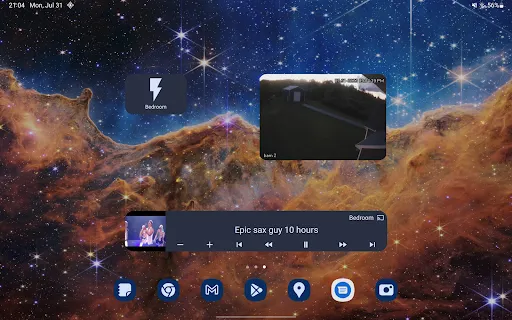
Trying to get away from cloud-based automation, I installed home assistant on my Synology server, as well as the integration local Tuya. Everything is functioning perfectly. So, I downloaded this app, to control using my phone. The app works well, and it's nicely laid out. However, one star off because widgets are a problem. In essence, when I tap a widget, it does what I want it to do, but then it is replaced by an endlessly spinning arrow. Fix: I have to delete the widget.
Review Source: Google Play store public user reviews.
FAQ
Does Home Assistant collect my personal data?
Home Assistant is designed with privacy in mind and does not collect personal data unless explicitly configured to do so. Users have full control over their data and can choose what information to share or keep private.
Does Home Assistant offer a free trial or free version?
Home Assistant is completely free to use as an open-source software, and there is no trial period. You can download and use it without any cost, although some cloud services may have associated fees.
Does Home Assistant require an internet connection?
Home Assistant can operate entirely offline, as it is designed to run on your local network. However, certain features or integrations, like remote access or cloud services, may require an internet connection.
How can I contact support or send feedback for Home Assistant?
Support for Home Assistant can be accessed through their community forums, Discord server, or GitHub page. Users can also submit feedback or suggestions directly through these channels to contribute to the ongoing development of the platform.
How do I manage or cancel my Home Assistant subscription?
You can manage or cancel your Home Assistant subscription through the Home Assistant Cloud settings within the application. The process is straightforward and allows you to adjust your subscription preferences easily.
How to use Home Assistant
How do I activate the Home Assistant app?
The Home Assistant app automatically connects to your existing Home Assistant instance. Just log in using your credentials; no separate activation is needed.
How do I contact Customer Service for the Home Assistant app?
You can contact Home Assistant support through their official website or community forums. Check their support page for specific contact information.
How do I log in to the Home Assistant app?
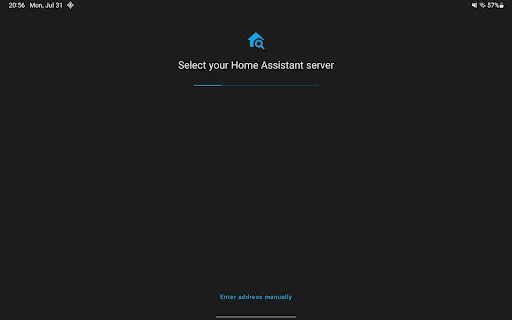
Open the app and enter your Home Assistant instance URL, then input your username and password to log in.
What is the customer number for Home Assistant?
Home Assistant does not have a dedicated customer number, but support can be accessed via their community forums and GitHub issues page.
What's New
- Full release change log: https://github.com/home-assistant/android/releases/latest
Similar Apps














You May Like

AI Remodel - Interior Design
Dmytro Bubela
4.5
Universal Tv Remote-Cast to TV
One Music Player
4.1

House Design Plan 3D App
Wallet Passes Alliance
4.5

Palmstreet: Shop & Sell LIVE
Plant Story
4.7

Foreclosure Home Search
Heavy Hammer
4.0

This Old House
This Old House
3.8

Rinnai Central
Rinnai America Corporation
1.4

Paint my House: Exterior Color
Try the Colors s.r.o.
4.3

Neighborbrite Landscape Design
Neighborbrite Inc.

HonySmart
Dawnwin Techonology
1.9

Authenticator Secure 2FA OTP
Duong Van Luong
4.3

Aqara Home
Shenzhen Aqara Software Service Co., Ltd.
4.3