
 Home
Home  Apps
Apps  Games
Games  Windows
  Terms of Service
  Cookies & Privacy Policy
  About us
Home Design 3D

 4.3
4.3 10,000,000+ Downloads
5.4.1 Version
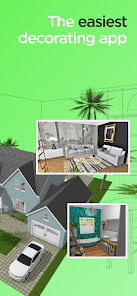
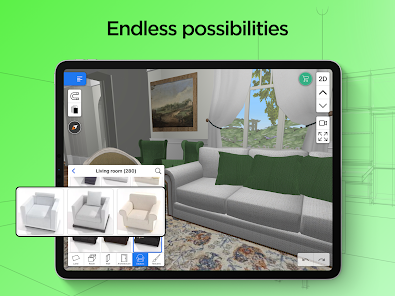
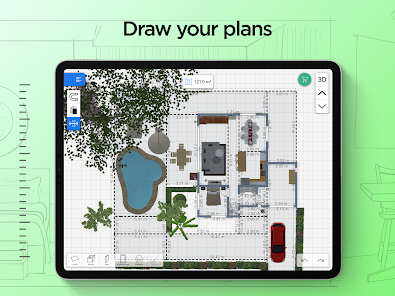
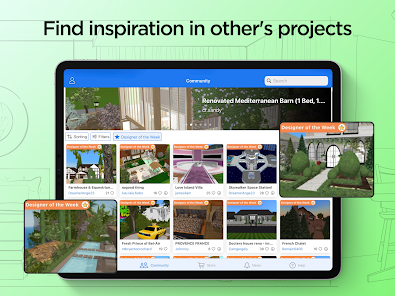
Information
- Category: House & Home
- Price: free
- Age Rating: Everyone
- Available on: /
- Developer: Anuman
- Updated on: Aug 27, 2025
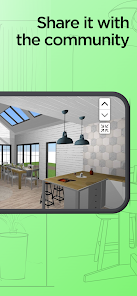
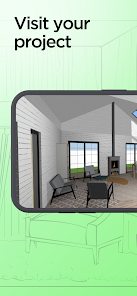
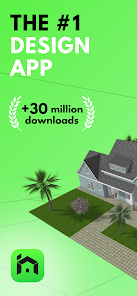
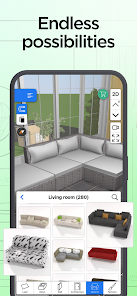
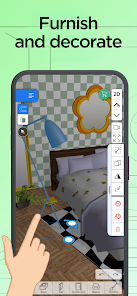
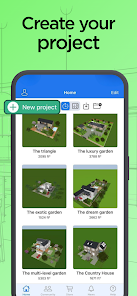
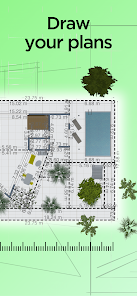
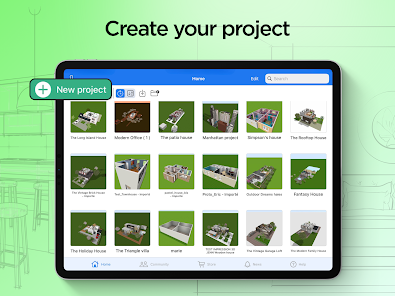
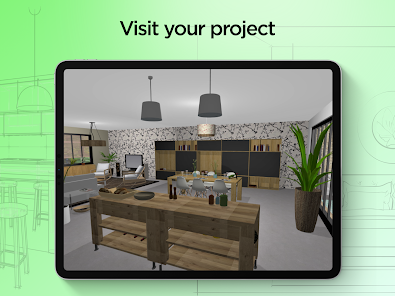
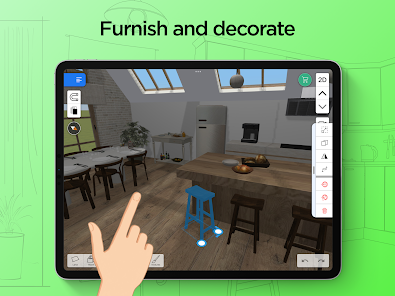
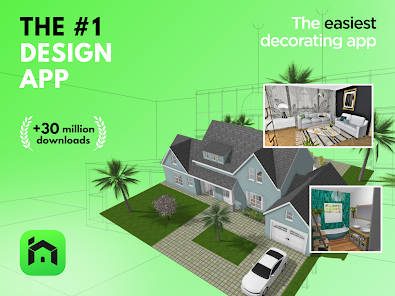
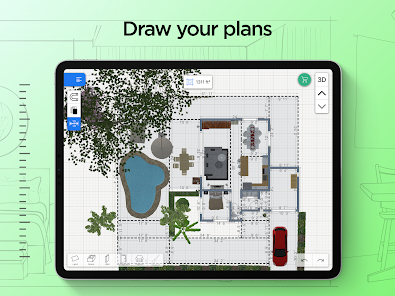
The introduction of Home Design 3D app has revolutionized the way homeowners plan and visualize their dream homes. With this innovative tool, users can easily create and customize floor plans, interior designs, and outdoor landscapes with just a few taps on their mobile devices. The app boasts an impressive library of furniture, fixtures, and decor items that can be seamlessly integrated into any design project. From a cozy studio apartment to a sprawling mansion, Home Design 3D empowers users to bring their visions to life in stunning detail. Its intuitive interface makes it easy for anyone to experiment with different styles and layouts until they find the perfect combination that suits their taste and lifestyle. Whether you're a professional architect or simply someone looking to spruce up your living space, Home Design 3D is an invaluable tool that will inspire creativity and transform your home design experience forever.
Features & Highlights
Home Design 3D is a powerful app that caters to both amateur designers and seasoned professionals looking to create stunning home layouts. Its user-friendly interface and robust features make it a go-to tool for anyone interested in interior design. Here are some of the core features that I found particularly impressive:
Real Experience Using Home Design 3D
Application Scenarios
As someone who enjoys home improvement projects, I often find myself using Home Design 3D for various scenarios. Recently, I moved into a new apartment and was overwhelmed by the blank canvas. This app became my best ally as I planned each room. From the living room to the bedroom, I utilized the 3D modeling feature to play around with different layouts. The ability to visualize how furniture would occupy the space made it so much easier to make decisions before buying anything. Additionally, I used the augmented reality feature in my kitchen to test paint samples on the walls, ensuring that the colors would look perfect in natural light.
User Experience
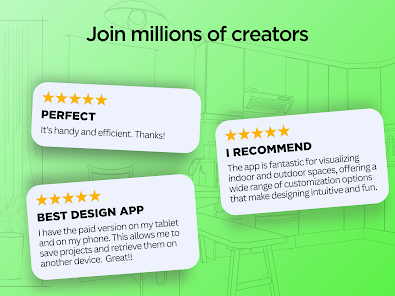
The user experience of Home Design 3D is one of its standout features. The interface is clean and intuitive, making it easy to navigate through the different tools and options. The workflow is smooth; I could easily drag and drop furniture items into my designs, adjust sizes, and even rotate them to fit the aesthetic I was aiming for. The performance of the app was impressive, with minimal lag even when working on complex designs. Overall, using Home Design 3D felt rewarding and enjoyable. It sparked my creativity and empowered me to take control of my living spaces like never before.
Pricing
Home Design 3D offers a free version with limited features, which is a good way to get acquainted with the app. However, the premium version, which unlocks a wealth of additional tools and objects, is reasonably priced. For those serious about home design, the investment pays off quickly, given the professional-grade capabilities the app provides. I opted for the premium subscription after just a few days of use, as I found it indispensable for my ongoing projects.
Updates & Support
The app receives regular updates, which continuously enhance its features and fix bugs. I noticed improvements in the object library and additional functionalities that made my design process even smoother. Customer support has also been helpful whenever I encountered issues or had questions. Their quick response time ensured that I could get back to designing without significant delays, which I truly appreciated.
Security & Privacy Review
As an American user, security and privacy are always top of mind when using apps like Home Design 3D. The app is available on both the App Store and Google Play, which gives me confidence in its credibility. To get started, I was required to register with some personal data, but I appreciated that the app made it clear what information was necessary and how it would be used.
While using the app, I didn't encounter any intrusive ads or tracking behavior, which is a relief in today’s digital landscape. The privacy policy is transparent, outlining how my information is protected. Overall, I felt secure while using Home Design 3D, and I would recommend it to anyone looking for a reliable home design tool that respects user privacy.
Pros 
-
 Easily create detailed floor plans with intuitive drag-and-drop features.
 - Visualize your designs in 3D for better spatial understanding.
- Access a vast library of furniture and decor for customization.
- Collaborate with others by sharing designs effortlessly.
- Available on multiple platforms for convenience and flexibility.
Cons 
-
 Limited advanced features for professional designers can hinder complex projects.
 - User interface may feel cluttered, complicating navigation and design processes.
- Occasional performance issues can disrupt workflow and cause frustration.
- Export options are restricted, limiting sharing and collaboration capabilities.
Get Installation Details  Google Play
  App Store
Google Play App Store User Reviews
(46.7K Reviews) Baloomba2025/07/02
So, I just finished using the app and let me just mention how great and well made the app is. Controls were easy, icons and interface were organized and neat which was really convenient (didn't even need a tutorial). What's upsetting is how 2/3rds of the items you can use to build are locked behind a pay wall. There are cool and unique decorations- way better than the basics we are stuck with, but it's a shame you'd have to buy it. Color choices were limited, a colorwheel would be better too.
- A Google user2020/01/26
At first it was great. I was able to design my dream home and place things the way I wanted. Sadly, after a while, you can't place anymore walls, furniture nor can you delete anything. Completely cuts you off mid-design. Does it every time and you have to pay for all of the extra furnitures, so you have very limited furniture, and household items needed to design a house. Do not recommend unless you are willing and are able to pay the price. Otherwise it is a good app for a quick design.
- DJ Dallas2022/03/18
Works great, I'm using it for comic backgrounds and art instead of actual construction or planning. There are a few issues though, like that the free version lacks a necessary option: the save button. And that when you move an object, sometimes it wants to move you with it if you move it too far up the screen, which gets annoying constantly having to readjust. And it needs a better zooming option so you can take pictures in view from low angles, not just standing angles. Otherwise, great app!!
- Lillian Reid2020/06/02
The app lets you play with preset designs to get a taste of how to use it, but you have to pay $5-$22 in order to save anything. It is very well made. It's easy to use & has a lot features and details. You can do anything interior or exterior. I spent hours on a design thinking I could save. It just gives a generic response "to create unlimited # of projects, pay" whenever you do something restricted. But you should at least be able to save 1 house if you advertise as adds and in app purchases.
- Rocketsevens2021/10/10
It was working good, but didn't save my design that I spent 3 hours on. I was signed in and everything. I'm not wasting my time anymore, there's a reason it's 3.7 stars. There isn't a whole lotta options anyways. I had to use squares for the cabinets and etc... Just stay away from and use the other ones under similar, there's a few with 4.5 stars and above that work really good. And best of all, they don't hound you to upgrade all the time.
Review Source: Google Play store public user reviews.
FAQ
Does Home Design 3D: Draw & Plan collect my personal data?
Home Design 3D: Draw & Plan respects user privacy and collects minimal personal data, primarily for account management and app functionality purposes. You can review their privacy policy for more details.
Does Home Design 3D: Draw & Plan offer a free trial or free version?
Yes, Home Design 3D: Draw & Plan offers a free version with limited features, allowing users to explore basic functionalities before deciding to purchase the full version or subscription.
Does Home Design 3D: Draw & Plan require an internet connection?
The app can be used offline for designing, but some features, such as downloading additional content or sharing projects, may require an internet connection.
How can I contact support or send feedback for Home Design 3D: Draw & Plan?
You can contact support or send feedback through the app's help section, which typically includes options for reaching out via email or accessing online support resources.
How do I manage or cancel my Home Design 3D: Draw & Plan subscription?
You can manage or cancel your subscription through the app store from which you purchased it, such as the Apple App Store or Google Play Store, where you can find options in your account settings.
How to use Home Design 3D
Can I change my Customer Number?
Unfortunately, Customer Numbers cannot be changed. If you have concerns, please reach out to Customer Service for support.
How can I activate my account?
To activate your account, click the link sent to your email during registration and follow the instructions provided.
How can I contact Customer Service for Home Design 3D?
You can reach Customer Service through the app's support section or by visiting our website for more options.
How do I log in to my Home Design 3D account?
To log in, open the app, enter your email and password, then click the "Log In" button.
How do I reset my password if I can’t log in?
Click on "Forgot Password?" on the log in page, then follow the instructions sent to your email to reset it.
What's New
- Bug fixes and improvements
Similar Apps














You May Like

AI Remodel - Interior Design
Dmytro Bubela
4.5
Universal Tv Remote-Cast to TV
One Music Player
4.1

House Design Plan 3D App
Wallet Passes Alliance
4.5

Home Assistant
Home Assistant
4.6

Palmstreet: Shop & Sell LIVE
Plant Story
4.7

Foreclosure Home Search
Heavy Hammer
4.0

This Old House
This Old House
3.8

Rinnai Central
Rinnai America Corporation
1.4

Paint my House: Exterior Color
Try the Colors s.r.o.
4.3

Neighborbrite Landscape Design
Neighborbrite Inc.

HonySmart
Dawnwin Techonology
1.9

Authenticator Secure 2FA OTP
Duong Van Luong
4.3