
 Home
Home  Apps
Apps  Games
Games  Windows
  Terms of Service
  Cookies & Privacy Policy
  About us
MBTA mTicket

 3.0
3.0 500,000+ Downloads
7.9.4 Version
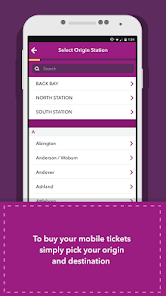
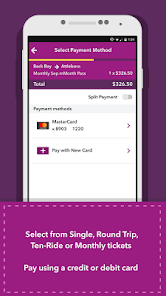
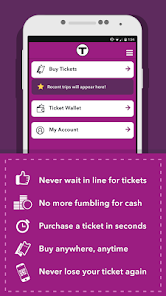
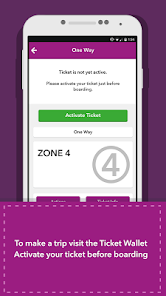
Information
- Category: Maps & Navigation
- Price: free
- Age Rating: Everyone
- Available on: /
- Developer: MBTA
- Updated on: Apr 1, 2026
Pros 
-
 Experience seamless travel
 - Purchase tickets on-the-go
- Access real-time train info
- Manage your account easily
- Enjoy secure payment options
Cons 
-
 Limited offline access
 - Frequent app crashes
- User interface confusion
- Slow loading times
- Inconsistent updates
Get Installation Details  Google Play
  App Store
Google Play App Store User Reviews
(1.61K Reviews) Thomas Kincaid2026/06/24
Not allowed to use different devices. At all. No workarounds. I have several devices. I can't purchase a ticket on the device I have with me: you require me to "transfer" the account to one phone, and you will only do it three times before requiring me to call and beg. It's one thing to fight fraud. It's another to stop me buying separate tickets on separate devices without providing you separate logins and accompanying dummy email addresses for each. I shouldn't be resorting to paper in 2026.
- A Google user2019/12/05
This app is okay but it has one really annoying "feature" and that is that you cannot add a payment card prior to making a purchase. I ride the commuter rail very infrequently and for whatever reason it lost the card info from the last time I bought a ticket. I'm not good with the on-screen keyboard on my phone and when I went to purchase a ticket just now, it took forever because I had to re-enter my credit card info. It would have been much better if I could have done that beforehand, but that apparently is not possible. Also this is NOT the fault of the app, but the fact that the commuter rail and subway use completely different payment systems is ridiculous. A CharlieCard would be 10x easier to use than this app.
- A Google user2020/01/19
I can't rely on this app. Every once in a while it randomly stops accepting any debit cards. Same error. I've checked my cards, with the banks, everything on my end is fine. Last time this happened I had to uninstall and reinstall the app a few times and the error stopped, but that isn't working this time. I emailed last time but honestly it didn't help and I don't want to go though it again. Guess I'm back to buying paper passes at South Station, seems to be the only reliable way.
- Waylon MacNeil2025/09/01
Menu and Log In buttons are unaccessible (Google Pixel 9) as the menu button is under the notification tray, and the login button on the Ticket Wallet page is hidden by the home, back, and app tray buttons. This means I can't login to view my tickets, or open the Menu at all, meaning the app is completely useless now. It wasn't like this before, so it must have been an update or something that caused it, but this means I will end up having to pay more for tickets than I would with the app.
- No Need (No name)2023/03/30
Currently, it won't allow me to purchase commuter rail tickets; this could be due to my TAP pass malfunctioning and having been replaced less than a month after I'd renewed. For clarity, the TAP pass was saved into the app, but I don't believe it was updated when my pass was replaced, only when it was renewed. I have to go into Boston to pick up my new ID (we have mail thieves), and it's going to be twice as much just to get there because of this glitch.
Review Source: Google Play store public user reviews.
How to use MBTA mTicket
Can I update my payment information in the mTicket app?
Yes, go to 'Account Settings,' select 'Payment Methods,' and update your information there.
How can I contact MBTA customer service for assistance with the mTicket app?
You can reach MBTA customer service at 617-222-3200 or visit their website for more information.
How can I view my purchase history in the mTicket app?
Log in, go to 'My Tickets,' and select 'Purchase History' to view your past transactions.
How do I create an account on the mTicket app?
Download the app, select 'Sign Up,' and follow the prompts to enter your information and create an account.
How do I log in to the mTicket app?
Open the app, enter your registered email or phone number, and your password, then tap 'Log In.'
What's New
- This app update provides faster load times and modernizes the appearance. Along with bug fixes, we’ve made improvements to accessibility features, including greater support for screen readers.
Similar Apps














You May Like

MapQuest
MapQuest
3.4

Wellsite Navigator
Wellsite Navigator, LLC
4.2

TroutRoutes: Trout Fishing App
onXmaps
3.9

Location Share: Live Tracker
WINDWAVE LIMITED
4.1

Live Earth Map: GPS Satellite
Az Game Inc

JOLT Electric Vehicle Charging
Jolt Charge Developer
1.3
GPS Map Cam: Phone Tracker
Amobear Application Publishing
3.9

GOHUNT / Hunt Research & Maps
goHUNT LLC
3.7
Boat Beacon - AIS Navigation
Electric Pocket
3.3

بلد - مسیریاب، نقشه - Balad
Balad maps
4.3
MacroPoint for Truckers
Descartes Intl.
4.5

Magic Earth Navigation & Maps
Magic Lane International BV
1.6