
 Home
Home  Apps
Apps  Games
Games  Windows
  Terms of Service
  Cookies & Privacy Policy
  About us
SplashLearn: Kids Learning App

 4.7
4.7 1,000,000+ Downloads
7.2.8 Version
Information
- Category: Education
- Price: free
- Age Rating: Everyone
- Available on: /
- Developer: StudyPad, Inc.
- Updated on: Jun 24, 2026
Pros 
-
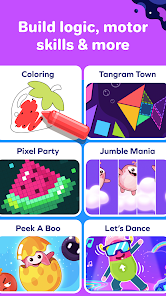
 Engaging and interactive games
 - Personalized learning paths
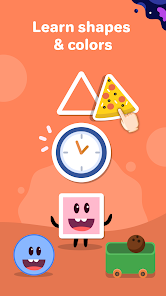
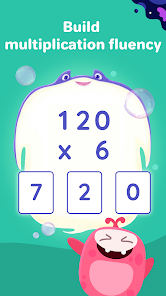
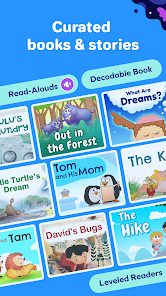
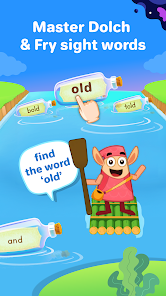
- Covers math and reading skills
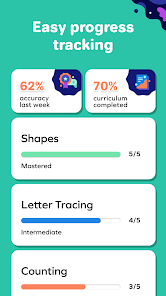
- Progress tracking for parents
- Fun rewards to motivate kids
Cons 
-
 Limited free content access
 - Subscription costs can add up
- Some users report bugs
- Not all subjects covered well
- Interface may overwhelm kids
Get Installation Details  Google Play
  App Store
Google Play App Store User Reviews
(3.37K Reviews) Nicole M2024/06/25
I signed up for a free trial online and was prompted to download the app. However, the app doesn't work. It loads the homepage with my kids name and grade at the top, but nothing happens when we click the blue boxes that I believe are supposed to be the lessons. I'm able to click settings, but in that menu I don't see anything helpful or about this issue. I tried sending a message through the Contact Us form under Help, but it said there was some error... I tried again and it says "Please Wait"
- Novestiga2024/08/02
Absolutely Awful! There is no assistance on the app or website when there are issues. It says it's compatible on a computer, except it asks you to rotate your screen. How am I supposed to rotate my laptop screen? I click on an icon repeatedly, the app and website simply will not load. I wouldn't pay for this service if it was the last online learning platform in the world! I hope ya'll fix these issues and other issues ya'll have because it is a good idea for early learning. Hire me I'll help!
- Courtney Rutledge2024/07/10
The app does not work as it should. I, like many others, cannot ge the app to work correctly. I have two children with two different tablets. The app works differently on each tablet, but neither functions properly. I have to login on a web browser page for us to access the reading portion, but even so, it has glitches. If the apps would work better, then we would love the program. It's very helpful, but because the apps have so many glitches,it makes us hesitant to continue using it.
- Paula R2020/09/30
Was great before an upgrade took place recently. My kids were on an easy-to-follow system in which they were rewarded for completing small sections, now we're all lost! Also, cant get the app to work on a phone which was my way of keeping my boys off of mindless games during car rides. Now they have to take turns on the computer (when we have access). Hopefully their software is updated soon as everyone seems to be having the same technical issue. Hope this helps - Be safe everyone!!!
- Brittany Horton2025/10/16
We have used this for 2 years now, and we all love it! It's definitely worth the price. The teachers are 👍The only thing that is dry is, you earn coins 🪙 as you play and learn but, my kids have bought all they have to offer in aquarium and the jungle. Now they just have thousands and thousands of coins racked up and nothing to spend it on. If they could expand the digital store That would be great. Also 1 account covers 3 kids, I have 5 so I pay separate on a separate account for the others.
Review Source: Google Play store public user reviews.
FAQ
Can I submit suggestions or feedback to SplashLearn: Kids Learning App?
Yes, users can submit feedback and suggestions through the app or the official website to help improve the service.
Does SplashLearn: Kids Learning App collect my personal data?
SplashLearn collects minimal personal data to enhance user experience but prioritizes privacy and data security.
Does SplashLearn: Kids Learning App support offline use?
Yes, users can download lessons and access them offline, ensuring learning can continue without an internet connection.
How do I cancel my SplashLearn: Kids Learning App subscription?
You can cancel your subscription through your account settings in the app or by contacting customer support.
How much does a subscription to SplashLearn: Kids Learning App cost?
Subscription costs vary, typically starting at a monthly fee, with options for annual plans that offer savings.
How to use SplashLearn: Kids Learning App
How can I contact customer service for SplashLearn?
You can reach SplashLearn's customer service through their website's support section or by emailing support
How do I activate my SplashLearn subscription?
After purchasing a subscription, log in to your account, go to 'My Account', and follow the prompts to activate your subscription.
How do I log in to my SplashLearn account?
Visit the SplashLearn website or app, click on 'Log In', and enter your registered email and password.
What is the customer number for SplashLearn?
SplashLearn does not publicly list a customer number; please use their online support for assistance.
What's New
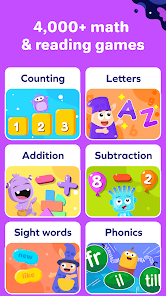
- Thanks for choosing SplashLearn as your learning partner. As always, your feedback is highly appreciated. Please leave us a rating and review to help us improve your child's learning experience.*Features in this app.*• Practice, master, and explore: Library of 4000+ math and reading games and activities• Builds a routine: Personalized daily learning plans to make learning effortless• Kid-friendly and safe: Designed for independent use• Fresh content: New games added regularly• Bug Fixes
Similar Apps















You May Like

Finelo: Master Trading
Finelo Limited
4.5

Speak: Language Learning
Speakeasy Labs
4.7

IXL
IXL Learning
4.3

Stellarium Mobile - Star Map
Noctua Software
4.8

Remind: School Communication
Remind101
4.3

VeinFinder: Anatomy Study
R&D's R&D
3.7

iRead-3 Practice App
WillPfaffy
Nibble: Your Bite of Knowledge
KREMITAL LIMITED
4.4

phyphox
RWTH Aachen University
4.8

Talkpal - AI Language Learning
Talkpal, Inc.
4.3

Nerd AI - Tutor & Math Helper
Deep Flow Apps
4.6

Language Learning - Ling
Ling Learn Languages
4.5