
 Home
Home  Apps
Apps  Games
Games  Windows
  Terms of Service
  Cookies & Privacy Policy
  About us
Turbo AI - Notetaker

 4.8
4.8 1,000,000+ Downloads
1.3.2 Version
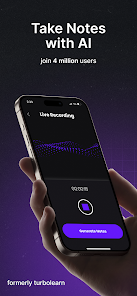
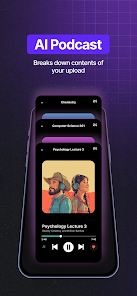
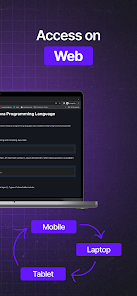
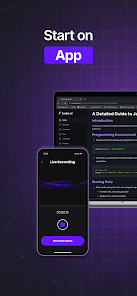
Information
- Category: Education
- Price: free
- Age Rating: Everyone
- Available on: /
- Developer: Turbo AI
- Updated on: Apr 13, 2026
Pros 
-
 Turbo AI - Notetaker app offers a range of advantages that enhance your note-taking experience.
Effortless voice-to-text input
Turbo AI - Notetaker app offers a range of advantages that enhance your note-taking experience.
Effortless voice-to-text input - Smart organization of notes
- AI-powered summarization tools
- Customizable templates for notes
- Seamless cloud synchronization
Cons 
-
 Limited customization options
 - Occasional inaccuracies in notes
- Requires internet for full use
- Steeper learning curve for new users
- Subscription model can be costly
Get Installation Details  Google Play
  App Store
Google Play App Store User Reviews
(314K Reviews) Neo Dallmeyer2026/03/30
I will say, as a AI notekeeping app, it's fantastic. The downside is that you have to have the app running at all times when it's recording. You are not allowed to exit the app for any purpose whatsoever while a recording is being done or else it will not continue to record despite it saying so. Once they fix that issue, 10 out of 10 best app ever. I would like them to add the ability to add documents to recording notes, or upload multiple documents at once for more concise notes.
- Makayla Bruin2026/01/10
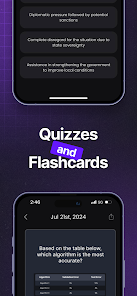
it's okay but it's also not okay. Listen some of us are broke and need to be spending our money wisely. When I did use it the notes were fine and I liked the quizzes which were heavily advertised. But all in all this app really seems more money based. It would be better if there were free options for the broke students out there. But I liked the Quizzes it had for me.
- Kati Riehl2024/10/25
This has high potential, but it's unreliable. I love the notes when it works. I've had 3 incidents now where it has gotten stuck on note generation. I can't get a response to emails for assistance, even though the app creator constantly says in the automatic emails to reach out for any questions. If I can't trust it, and can't even take possession of what I recorded to make notes later, then I can't use it all. I wish I could get a refund for the amount I paid for the subscription.
- Digital Daydream2025/12/05
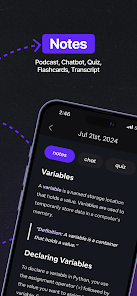
The app has many great functions. Having notes in many forms such as a document, podcast, quiz, chat, flashcards, or transcript. The only problem is that it's not as good as the browser version. It's hard to find ways to edit your notes in the app, and it doesn't show the studying mode for flashcards. Meaning it doesn't show how many flashcards you've learned, are new, or have mastered.
- Quinettii Gomez2025/11/09
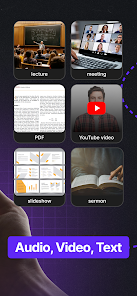
This app is good for short lecture videos, five minutes or less. This app is very unreliable. I recently used the record option for an important lab and it froze and didn't save anything, not even in the failed upload folder. A 2-hour lecture just gone. It is so frustrating. I do want to make it known I pay for the premium membership and it is meh. Unfortunate because when it works it does an excellent job of making notes, quizzes and exams.
Review Source: Google Play store public user reviews.
How to use Turbo AI - Notetaker
How can I contact customer service for Turbo AI - Notetaker app?
You can reach customer service via the app's support section or email support
How do I activate the Turbo AI - Notetaker app?
After downloading, open the app and follow the on-screen instructions to create an account or log in to activate.
How do I log in to the Turbo AI - Notetaker app?
Open the app, enter your registered email and password, then tap 'Log In'.
What is the customer number for Turbo AI - Notetaker app?
The customer number is typically found in the app's settings under 'About' or 'Support'.
Similar Apps















You May Like

Finelo: Master Trading
Finelo Limited
4.5

Speak: Language Learning
Speakeasy Labs
4.7

IXL
IXL Learning
4.3

Stellarium Mobile - Star Map
Noctua Software
4.8

Remind: School Communication
Remind101
4.3

VeinFinder: Anatomy Study
R&D's R&D
3.7

iRead-3 Practice App
WillPfaffy
Nibble: Your Bite of Knowledge
KREMITAL LIMITED
4.4
phyphox
RWTH Aachen University
4.8

Talkpal - AI Language Learning
Talkpal, Inc.
4.3

Nerd AI - Tutor & Math Helper
Deep Flow Apps
4.6

Language Learning - Ling
Ling Learn Languages
4.5