
 Home
Home  Apps
Apps  Games
Games  Windows
  Terms of Service
  Cookies & Privacy Policy
  About us
Jellyfin

 4.1
4.1 1,000,000+ Downloads
2.6.3 Version
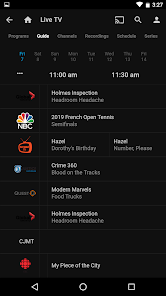
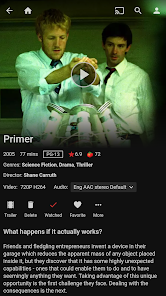


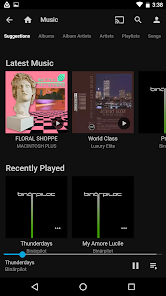
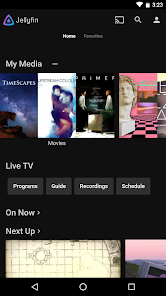

Information
- Category: Video Players & Editors
- Price: free
- Age Rating: Everyone
- Available on: /
- Developer: Jellyfin
- Updated on: May 16, 2025
Pros 
-
 Jellyfin is a powerful media server
 - Stream your favorite content anytime
- Access your library from anywhere
- User-friendly interface for all
- Completely free and open-source
Cons 
-
 Limited official support
 - User interface can be clunky
- Setup can be complex for some
- Fewer plugins than competitors
- Occasional performance issues
Get Installation Details  Google Play
  App Store
Google Play App Store User Reviews
(6.68K Reviews) Fog Hazard2026/04/28
I love Jellyfin on my computer and TV, but this app is really buggy. It has trouble choosing the correct language if there are multiple choices, and it doesn't change even when you manually select the other language (it shows that it does, but still plays the other track). On top of that, Live TV often cuts out randomly, even though I'm at home on stable internet. This does not occur on the PC, Roku, or Fire stick. Please fix this app!
- Demon Kyo2026/05/04
I love having my media library at my hands. the only things that i wish were better is the app will sometimes lockup or crash while listening to audiobooks mainly long ones but for books atleast it saves spot every 5-10 minutes so i can pickup close to where i was. I also wish there was a sleep timers so i wouldn't have to worry about leaving a book, music, series, or movie running while laying down.
- Timothy2025/02/28
My favorite open source project. But the app has an aggravating flaw. When using from locations with bad connection, the client will send you back to the server selection screen, even if you've pre-buffered part of the content. To resolve, you need to connect again, and rebuffer the same media. On limited plans, or when paying by the gigabyte, it can become very expensive to use the app in areas with spotty coverage. Also no way to DL lower quality media for offline playback in similar scenarios
- A Google user2019/10/11
I tried Kodi, Plex and a couple of other media server software. Each one had major issues, from simply not playing all videos and not recognizing many TV shows, to requiring specific and difficult folder arrangements for shows to appear in the listings at all. I tried Jellyfin out of frustration. Amazingly, it worked perfectly the first time out. I just drop videos into a folder, and the system downloads pics of the show and all metadata immediately; it even finds clips of even the most arcane movies to preview. The remote on my phone works perfectly as well. All told, I think Jellyfin is far and away the best free (or paid) media server out there. Its ease of installation (virtually none) and good looking interface makes it a no-brainer choice for a media server. Kudos to the developers, keep up the great work!
- Justin Webb2025/02/13
Most functions work great however there is major pain point for the app rather than using a web browser, if there is some disturbance in a connection between the client and your server, it will completely close out of the connection, yet still be playing the music you had loaded. But the controls for the song thats playing is gone when this happens and you must close the app and relaunch it, then go back to your music tab and start a new playlist. The app needs to handle network changes better.
Review Source: Google Play store public user reviews.
FAQ
Can I submit suggestions or feedback to Jellyfin?
Yes, users can submit suggestions and feedback through the Jellyfin GitHub repository or community forums.
Does Jellyfin collect my personal data?
No, Jellyfin does not collect personal data; it is designed to prioritize user privacy.
Does Jellyfin support offline use?
Yes, Jellyfin allows users to download content for offline viewing on supported devices.
How do I cancel my Jellyfin subscription?
Since Jellyfin is free, there is no subscription to cancel.
How much does a subscription to Jellyfin cost?
Jellyfin does not require a subscription; it is free to use without any costs.
How to use Jellyfin
How can I contact customer service for the Jellyfin app?
You can reach Jellyfin support through their official website or community forums for assistance.
How do I activate the Jellyfin app?
Jellyfin does not require activation; simply download the app and connect it to your Jellyfin server to start using it.
How do I log in to the Jellyfin app?
Open the app, enter your server address, username, and password, then click 'Log In' to access your account.
What is the customer number for Jellyfin support?
Jellyfin does not have a dedicated customer number; support is primarily provided through online resources and community help.
What's New
- Thank you for using Jellyfin! This update adds a lot of improvements, fixes bugs and more.The latest Jellyfin Server (10.10.0+) is recommended.
Similar Apps














You May Like

FlipaClip: Create 2D Animation
Visual Blasters LLC
4.3

Photo Editor Video Maker Music
beauty app inc
4.6

Video Downloader: Browser Home
Video Downloader App Developer
4.3

Veom Rigel AI Film Generator
Kata Tech.
4.3

AI Video Maker With Music
Aquaworld Infotech
3.3

KwaiCut - Video Editor
Kwai Technology Limited
4.2

Video Editor & Video Maker
InShot Video Editor
4.8

BlackHole
fawazapp
3.9

YouTube Create
Google LLC
3.8

Spring - Video Editor & Maker
KineMaster, Video Editor Experts Group
4.6

AirPin PRO - AirPlay & DLNA
WaxRain Tech.
4.0

D-ID: AI Video Generator
D-ID
4.6