
 Home
Home  Apps
Apps  Games
Games  Windows
  Terms of Service
  Cookies & Privacy Policy
  About us
Video Editor & Video Maker

 4.8
4.8 100,000,000+ Downloads
3.004.4 Version
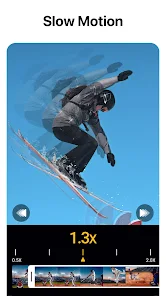
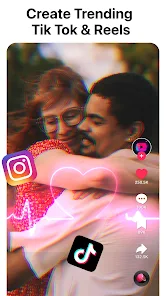
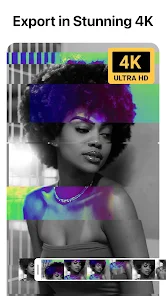
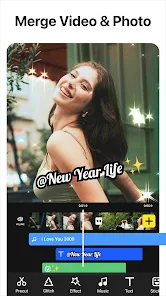
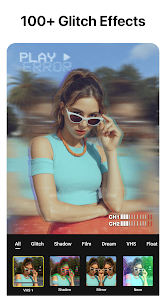
Information
- Category: Video Players & Editors
- Price: free
- Age Rating: Everyone
- Available on: /
- Developer: InShot Video Editor
- Updated on: May 18, 2026
Pros 
-
 Transform your videos easily
 - User-friendly interface for all
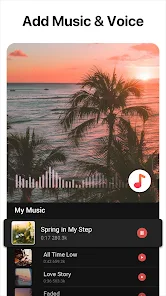
- Add music and effects seamlessly
- Share directly on social media
- High-quality exports in seconds
Cons 
-
 Limited advanced features
 - Steep learning curve for beginners
- Frequent ads disrupt workflow
- Export quality may vary
- Limited support for formats
Get Installation Details  Google Play
  App Store
Google Play App Store User Reviews
(1.16M Reviews) Jodi S.2025/01/31
Epically Insane! I can't stop trying all of the features. It's what I'd consider user friendly. The only feature that I haven't figured out yet is when adding a sound or change voice & pitch, how do I select a specific start/end point? I'll get it eventually.. The subscription prices can't be beat(well, except for free) I'm more than happy to pay for a subscription.. endless opposite. Ty 4 ur skills & creativity, you've helped me switch brain modes easily.. I lose track of time and I giggle.
- AC 7772024/11/25

I've been using this app for a while now and it has worked great for my needs. I've been perfectly fine with watching ads to remove watermarks. Developers gotta make money somehow if u don't pay for premium. Today though I opened the app and things have changed. I hit the X on the watermark and it gives me a pop up for a free trial to the yearly subscription. I DO NOT WANT IT. Just give back the option to watch an ad PLEASE. This new pop up makes it impossible to use the free version.
- Megan Sherrow2022/11/27
Awesome app! No ads whatsoever. Sure, if you want to use ALL the app has to offer you can pay for a subscription (free trial period included) but there are just as many cool affects and functions available for free. I've been trying for days now to edit a video clip using Adobe software, ultimately realizing I was making it overly complicated. After installing this app, I had achieved exactly what I needed within minutes. Easy to use. Loads to offer. 5+++ stars! Thanks!!
- Ron Tinnin2022/10/20
It takes a little practice. But not too much to where it makes it unbearable to learn. It's pretty simple. It's worth paying a few bucks for the paid version to unlock everything including 1080 resolution. However, you can still get 720 without paying and there are plenty of effects and glitches to use. I only purchased it because I post a lot of videos on social media. I'm a personal trainer. I make training highlight videos. And the app allows me to make them unique with cool effects.
- Old Account2020/09/03
This app has made it incredibly easy to edit videos and the range of effects and filters is incredible. Now, you can obviously get rid of ads and such by buying the pro version but the fact that it gives you the option to watch an ad and use all those tools for free is something I haven't been able to find on other mobile editing softwares. Would definitely suggest.
Review Source: Google Play store public user reviews.
FAQ
Can I submit suggestions or feedback to Video Editor & Video Maker?
Yes, users can submit feedback and suggestions through the app's support section or official website.
Does Video Editor & Video Maker collect my personal data?
The app may collect some data for functionality and improvement, but it prioritizes user privacy.
Does Video Editor & Video Maker support offline use?
Yes, the app allows users to edit videos offline without needing an internet connection.
How do I cancel my Video Editor & Video Maker subscription?
You can cancel your subscription through your app store settings or within the app's subscription management section.
How much does a subscription to Video Editor & Video Maker cost?
Subscription costs vary based on the plan chosen, typically offering monthly or yearly options.
How to use Video Editor & Video Maker
How can I contact customer service for the Video Editor & Video Maker app?
You can reach customer service through the app's settings or visit our website for support options.
How do I activate the premium features of the Video Editor & Video Maker app?
To activate premium features, purchase a subscription through the app's settings and follow the prompts to complete the activation.
How do I log in to the Video Editor & Video Maker app?
Open the app, tap on the login button, and enter your credentials or sign in with your social media account.
What is the customer service number for the Video Editor & Video Maker app?
The customer service number is available in the app under the help section or on our official website.
What's New
- 🪄 [Audio]: Denoise, adjust speed, and apply voice effects🎵 [New]: 200+ new sounds effects & 30+ new songs🌷 [Filters]: 10 packs trendy filters✨ [Text]: New fonts for more creative options💠 [Glitch & Effects]: Stack multiple same-type effects for richer visuals🎬 [Watermark]: Now supports free removal- Bug fixes and smoother experience💡 Your feedback helps us make VideoCook better📩 [email protected]
Similar Apps












You May Like

FlipaClip: Create 2D Animation
Visual Blasters LLC
4.3

Photo Editor Video Maker Music
beauty app inc
4.6

Video Downloader: Browser Home
Video Downloader App Developer
4.3

Veom Rigel AI Film Generator
Kata Tech.
4.3
AI Video Maker With Music
Aquaworld Infotech
3.3

KwaiCut - Video Editor
Kwai Technology Limited
4.2
BlackHole
fawazapp
3.9

Jellyfin
Jellyfin
4.1

YouTube Create
Google LLC
3.8

Spring - Video Editor & Maker
KineMaster, Video Editor Experts Group
4.6

AirPin PRO - AirPlay & DLNA
WaxRain Tech.
4.0

D-ID: AI Video Generator
D-ID
4.6