
 Home
Home  Apps
Apps  Games
Games  Windows
  Terms of Service
  Cookies & Privacy Policy
  About us
YouTube Create

 3.8
3.8 5,000,000+ Downloads
/ Version
Information
- Category: Video Players & Editors
- Price: free
- Age Rating: Teen
- Available on: /
- Developer: Google LLC
- Updated on: Jul 2, 2026
Pros 
-
 Unlock your creativity easily!
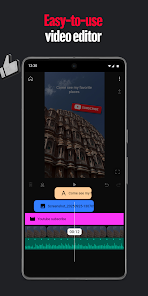
 - Edit videos with powerful tools!
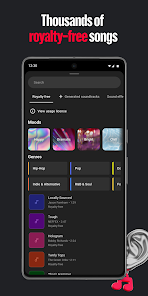
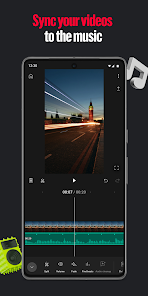
- Access a library of music tracks!
- Share your content effortlessly!
- Engage with your audience directly!
Cons 
-
 Limited editing tools available
 - Lacks advanced effects options
- User interface can be confusing
- Requires a stable internet connection
- Not suitable for professional use
Get Installation Details  Google Play
  App Store
Google Play App Store User Reviews
(28.4K Reviews) Teo Hernandez2026/02/17
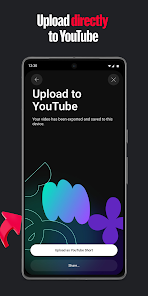
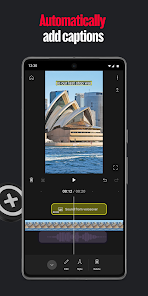
It's a very nice app, especially for the free captions, and it being 100% free. You can also upload to YouTube without even going on the app itself, making it very useful. Not to mention the wide variety of stickers which are very useful. My one complaint is that for the captions you have to use one of their fonts (a few hundred choices) instead of being able to upload your own.
- Rainbow 63c42024/10/23
I've been using this as my primary editing software. But I've recently run into a problem. Every time I make it to a certain spot within my editing. The app freezes and then kicks me out. Causing me to go back in and then get kicked out at the same spot. It worked fine last night, so I don't know what's wrong. I've already edited 4 other videos before this trimming them down from 2 and 3 hours to a more consumable amount. But for some reason,this video, with is only 2ish hours long, keeps dying.
- K Berglin2026/05/29
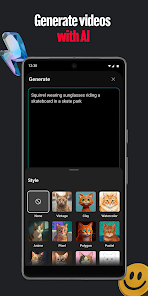
Can't give it too many details; if you add something it'll change something else! I put in "sexy" and it said I violated it! Really, ppl are so uptight the word sexy can't be spoken or typed. Sad. It distorts our images too much trying to create an AI version. This can't be the only app that we can use for free; there's surely something I'm missing here!
- David Brand - Mark Brand2026/04/20
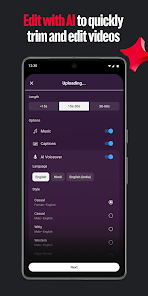
I tried YouTube Create’s “Edit with AI,” and it’s powerful and easy to use. But it surprised me by recognizing my cat’s names without me clearly saying them. Pet names aren’t a big deal—but if it were people’s names, that would feel more personal. It made me think about how much apps can access once permissions are granted. Great app overall, just be mindful of your privacy settings.
- Café du Château De la Liberté2024/06/26
I've been using this app for a few months now and never had an issue. Now it seems that unless I'm exporting a 1 minute video, it won't export. I've contacted support, left feedback and still not able to export the video to my phone so I can upload it to YouTube. Idk what the issue is but it might cause me to lose an entire video. I've done all of the troubleshooting methods and I've shortened my video by almost 5 minutes. Now, even at 16m:21s it still cuts to black then back to my home screen.
Review Source: Google Play store public user reviews.
How to use YouTube Create
How can I contact customer service for the YouTube Create app?
You can reach YouTube customer service through the Help Center on the app or website, where you can find support options and contact information.
How do I log in to the YouTube Create app?
Open the app, tap on "Sign In," and enter your Google account credentials associated with your YouTube channel.
Is there a way to activate the YouTube Create app?
The YouTube Create app does not require activation; simply download it from the app store and log in with your Google account.
What is the customer number for YouTube Create app support?
YouTube does not provide a direct customer number; support is primarily available through their online Help Center.
What's New
- YouTube Create is currently in beta and is available on phones running Android 8.0 or later with at least 4GB of RAM. We will continue to add new features and improve YouTube Create over time.
Similar Apps











You May Like

FlipaClip: Create 2D Animation
Visual Blasters LLC
4.3

Photo Editor Video Maker Music
beauty app inc
4.6

Video Downloader: Browser Home
Video Downloader App Developer
4.3

Veom Rigel AI Film Generator
Kata Tech.
4.3
AI Video Maker With Music
Aquaworld Infotech
3.3

KwaiCut - Video Editor
Kwai Technology Limited
4.2
Video Editor & Video Maker
InShot Video Editor
4.8
BlackHole
fawazapp
3.9

Jellyfin
Jellyfin
4.1

Spring - Video Editor & Maker
KineMaster, Video Editor Experts Group
4.6

AirPin PRO - AirPlay & DLNA
WaxRain Tech.
4.0

D-ID: AI Video Generator
D-ID
4.6